
In sync
Atoms and graph share one clock, so they never drift.
Atoms and graph share one clock, so they never drift.
Timing matched to the original slide, frame by frame.
A 41 sec film with sound, made for talks and the website.
An RRAM cell stores a bit by growing and breaking a tiny conductive path, a filament, inside a layer of oxide. Intrinsic explained this with a slide: atoms on the left, a current voltage graph on the right.
They wanted it as a proper film in their new colours, something they could play in talks and on the website.
On the slide, the atoms and the graph were two separate animations. A few seconds in, they drifted apart: the graph said one thing and the atoms showed another. For engineers, that is worse than no animation at all.
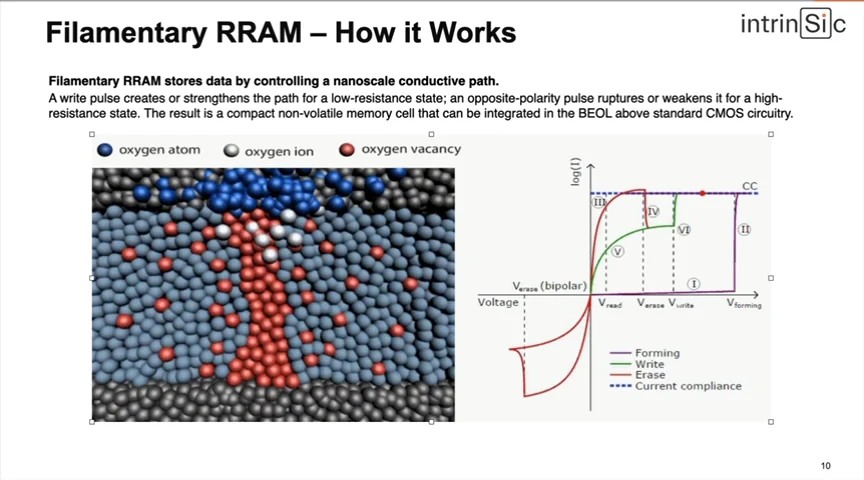
First I studied the slide frame by frame, so I knew exactly when the filament grows, breaks and grows back. Then I built the graph, because that is what engineers check first, and got it approved before any 3D existed.
The atoms then run on the same clock as the graph pointer. One timeline drives both, so they cannot drift apart.
My first draft sat on the brand's cream. The team asked for white so it fits on any slide or web page, and for a small legend. I used the same three labels as their original slide, so it feels familiar to their audience.
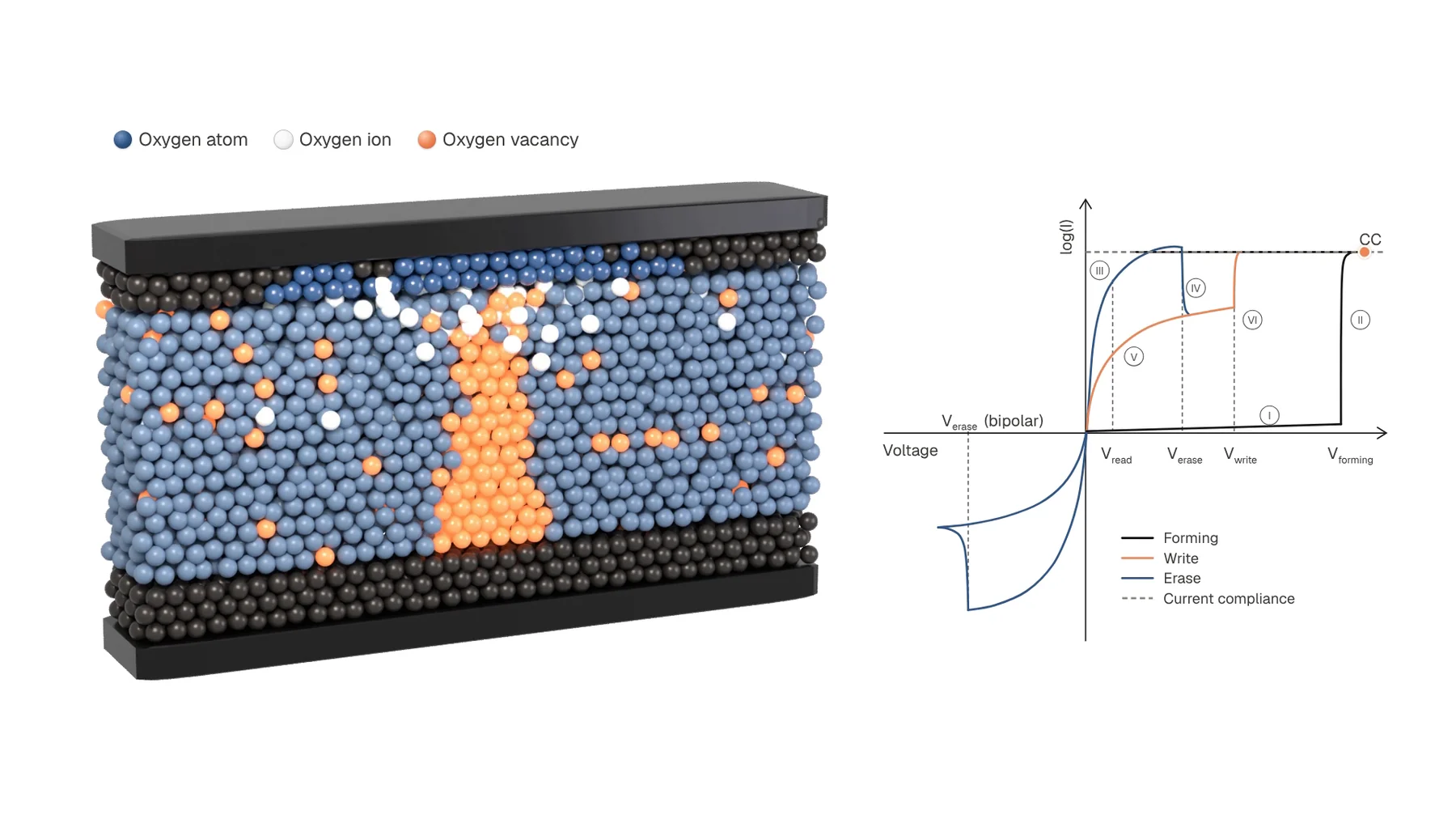
Decision 01
The filament creeps for six seconds, then suddenly snaps to the top. Smoothing it would look nicer but teach the wrong thing, so I kept the snap.
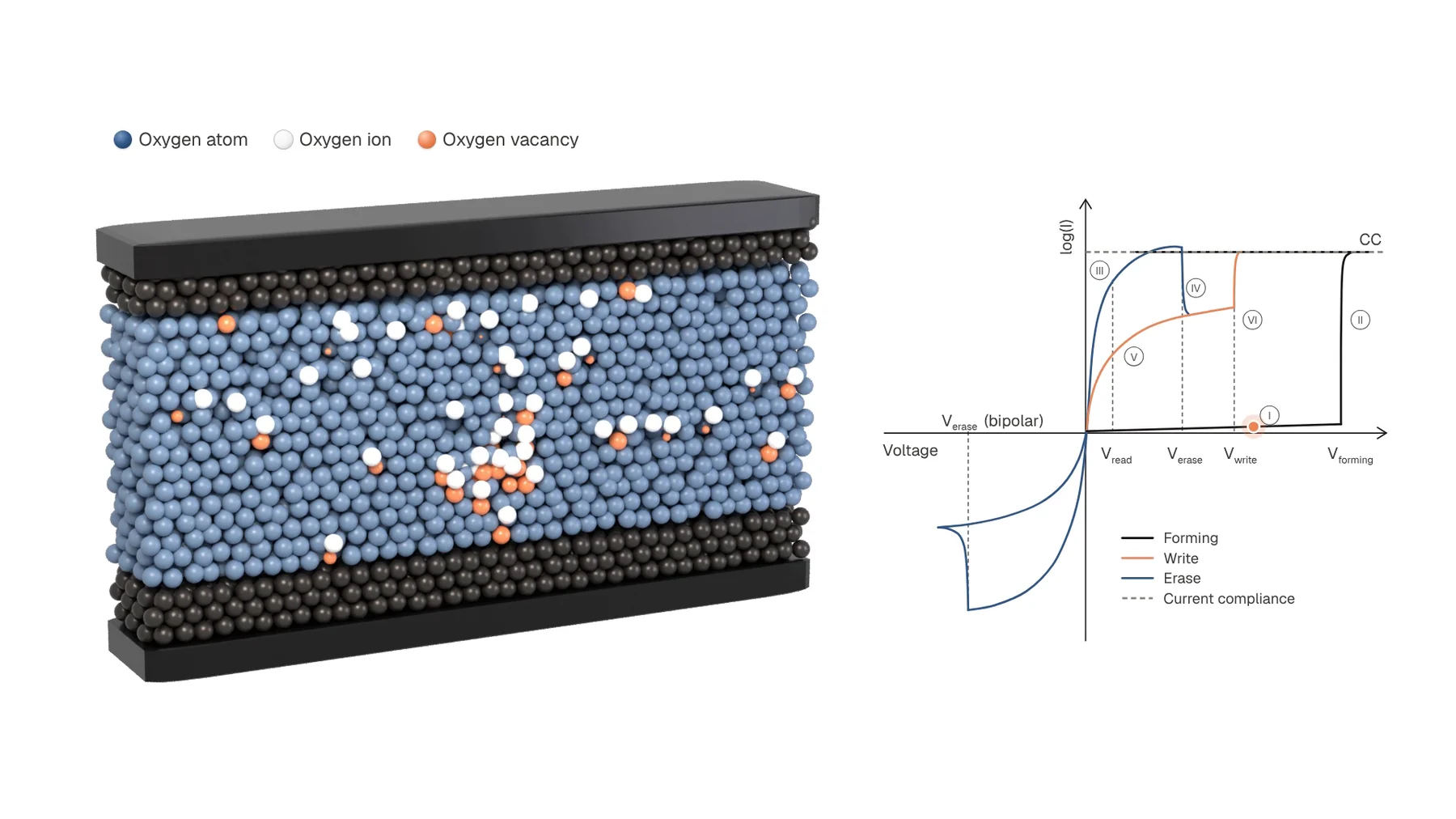
Decision 02
Orange is used only for the part that conducts. Your eye follows the orange, and the story follows with it.
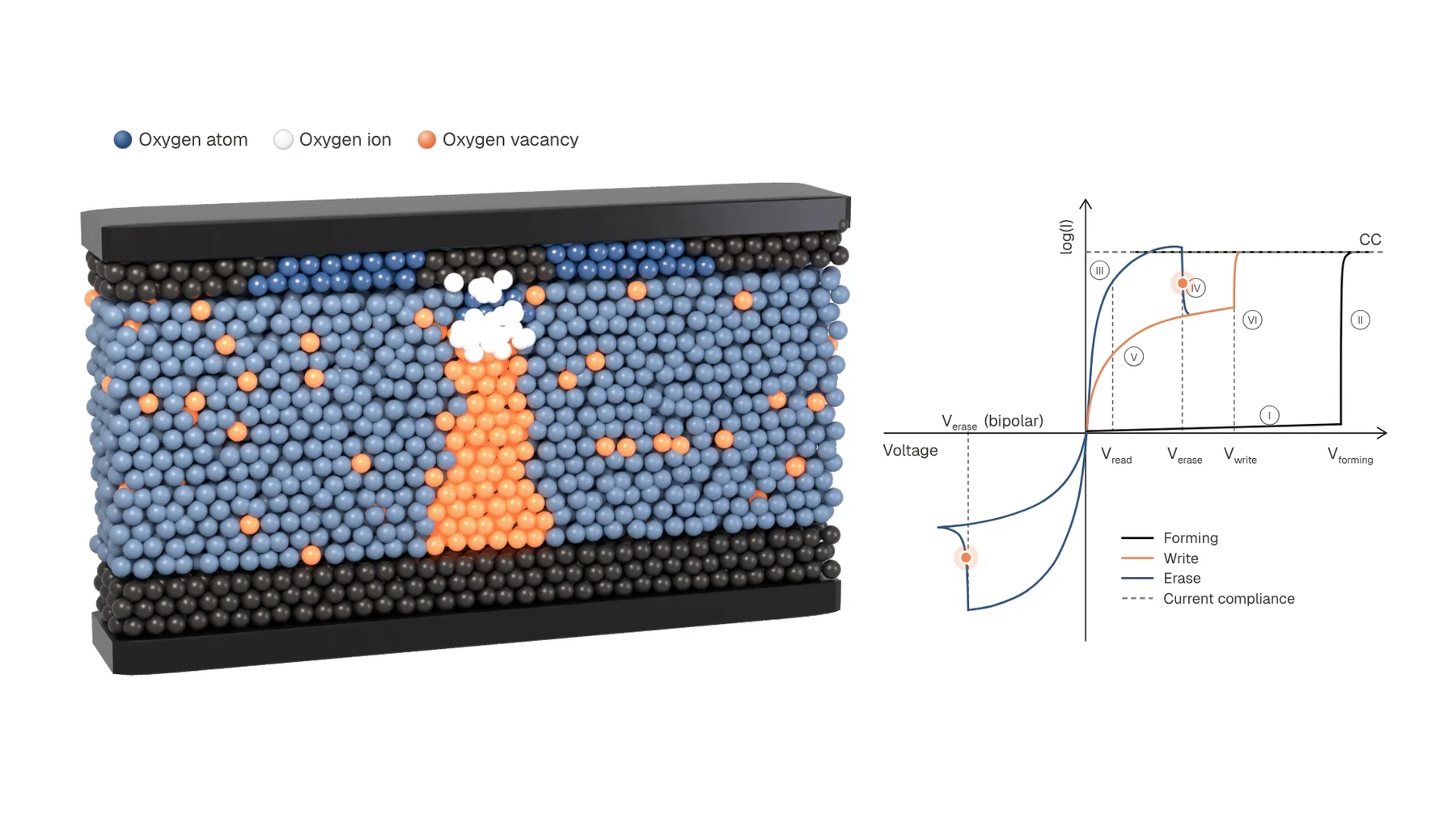
Decision 03
After each change the cell holds still for a moment. It shows the state clearly and gives a speaker time to talk over it.
Last step: I played the new film next to the old slide. Every phase lines up.
Made in Blender with Python, written with AI coding agents, so a change like "slow down the erase" is one number and a re-render.
I also made the hero loop for Intrinsic's website: a lifelike chip, with the logo etched into the silicon.
A website hero loop that looks like an actual chip From an AI looking stock loop to a 15 second seamless 3D wafer on white. Read the case study