
Students heard
500+ students across five phases of research.
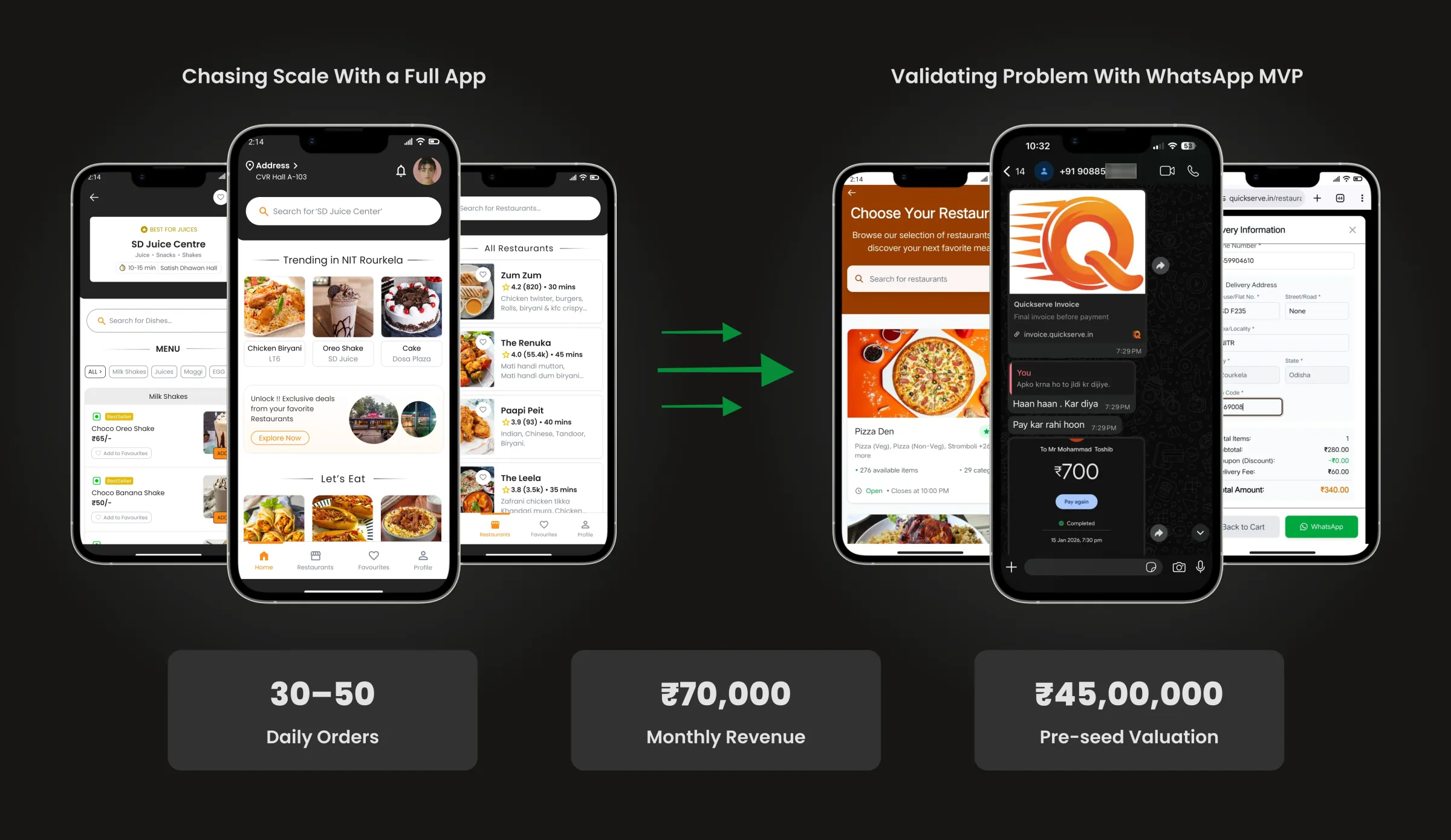
500+ students across five phases of research.
90% problem validation confidence before any screen was designed.
75% of students would pay ₹50 to 75 for room delivery.
Overview
What started as our own daily frustration soon proved common across NIT Rourkela: dull mess food, few options, and a long walk to collect every delivery. We set out to make getting food to a hostel room easy and fast.
We first planned a dedicated food delivery app. With a small tech team and no funds, that plan stalled, so we ran the service on WhatsApp to test the idea and fund the app we wanted to build later.
This is the long version of the QuickServe story, focused on how we designed it: the research, the people we designed for, the flows, the visual design and every iteration. The shorter case study covers the outcome.
Research
Before designing a single screen, we wanted proof that the problem mattered to more people than just us. Across five phases we heard from 500+ students at NIT Rourkela, reaching 90% problem validation confidence and 80% solution market fit.
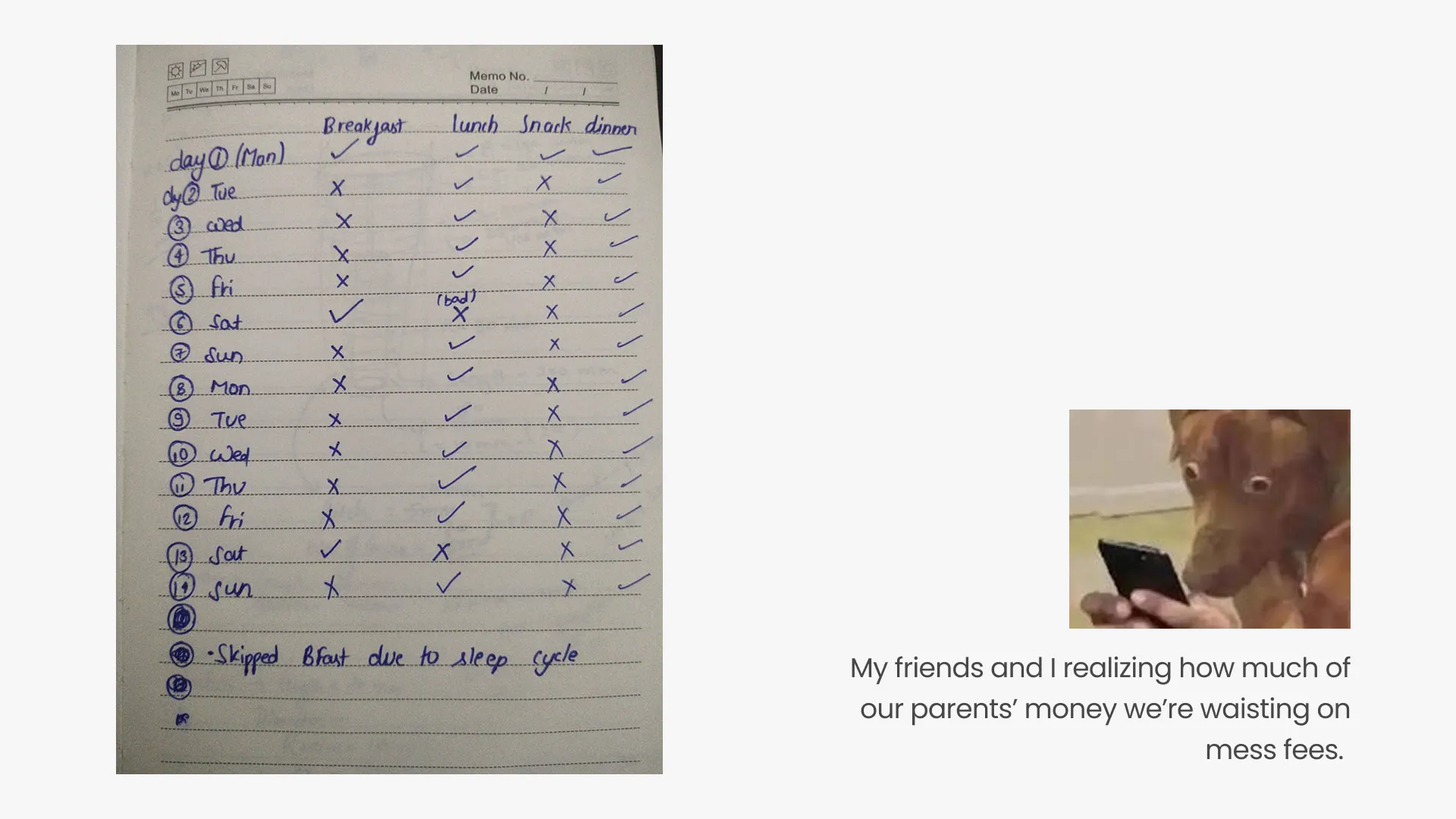
I started with myself. For 14 days we tracked our own eating habits in a behavioural diary: what we ate, when we skipped a meal, and why.
Key finding: we skipped meals 10 to 20 times a week, mostly because of tight schedules and mood.
We held unstructured, casual conversations with 25+ students across 4 hostels, in the middle of their normal day. 80% of them had faced food access problems.
We then went through 1,500+ messages from the NITR mess WhatsApp groups, including the photos students shared of their meals. 40% of food related messages were complaints about quality.
We quietly observed 4 mess halls over 6 sessions. About 50% of students ate faster than average and left, and 30% looked visibly unhappy with the food.
We also mapped 8 round trips to Jagda Gate. Each pickup took 25 to 30 minutes on average, and the walk left students tired, eating into study and internship time.
Next we ran structured interviews with 26 students from different backgrounds: 50% engineering, 30% management and 20% from other departments. Their answers revealed five patterns that shape a student's daily food experience.

Core hypothesis: if food reaches the hostel room, students will happily pay a small fee for it.
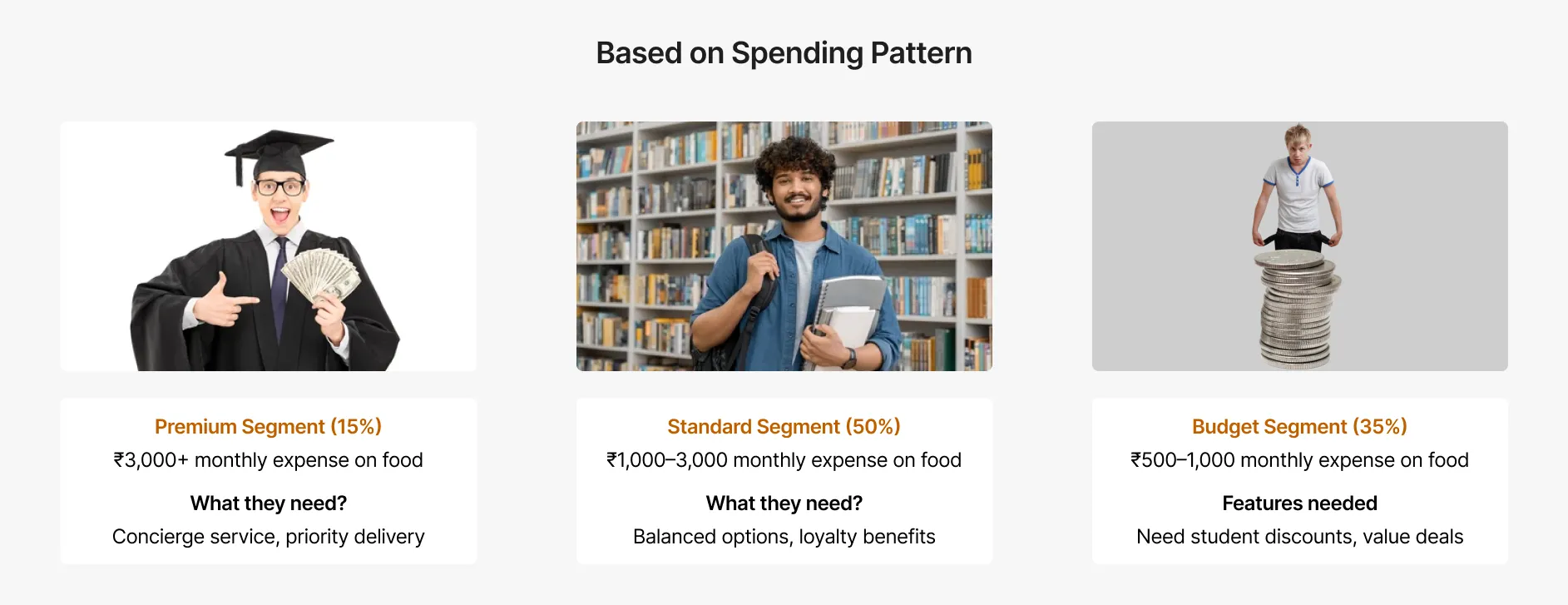
Students spend ₹500 to 1,500 a month on food, closer to ₹1,000 to 3,000 once first and second years are left out. Everyone already used Swiggy or Zomato, but had to walk to Jagda Gate because those apps cannot deliver to hostel gates.
In concept tests with 50+ students, 85% liked the idea of door to door delivery, 75% were willing to pay ₹50 to 75 for it, and 20% were open to trying it right away.
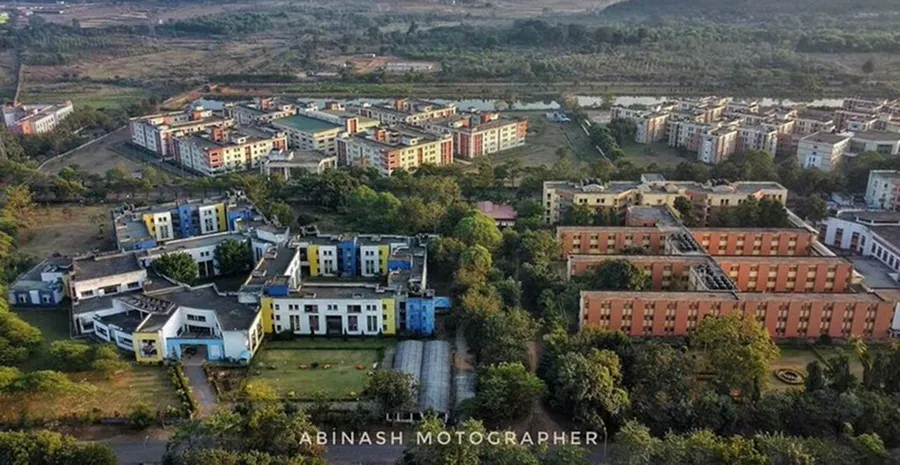
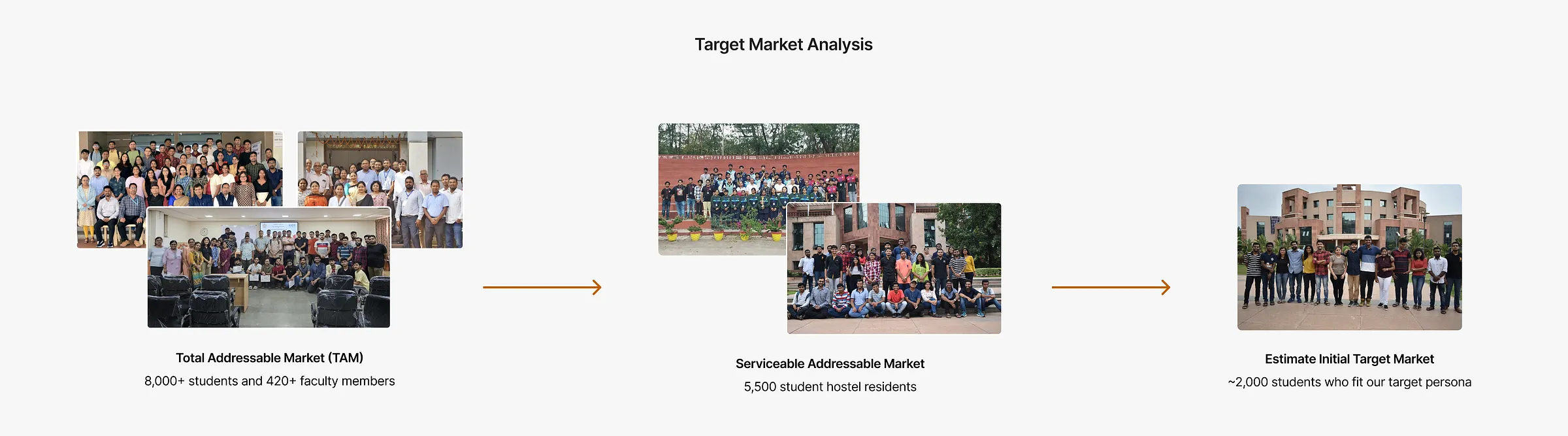
NIT Rourkela has 8,000+ students and 420+ faculty members with their families. Outside delivery is allowed for faculty and only restricted in hostel areas, so our serviceable market was about 5,500 hostel residents.
Many first and second years have tighter budgets, so we set our initial target at about 2,000 students who fit our persona.
Define
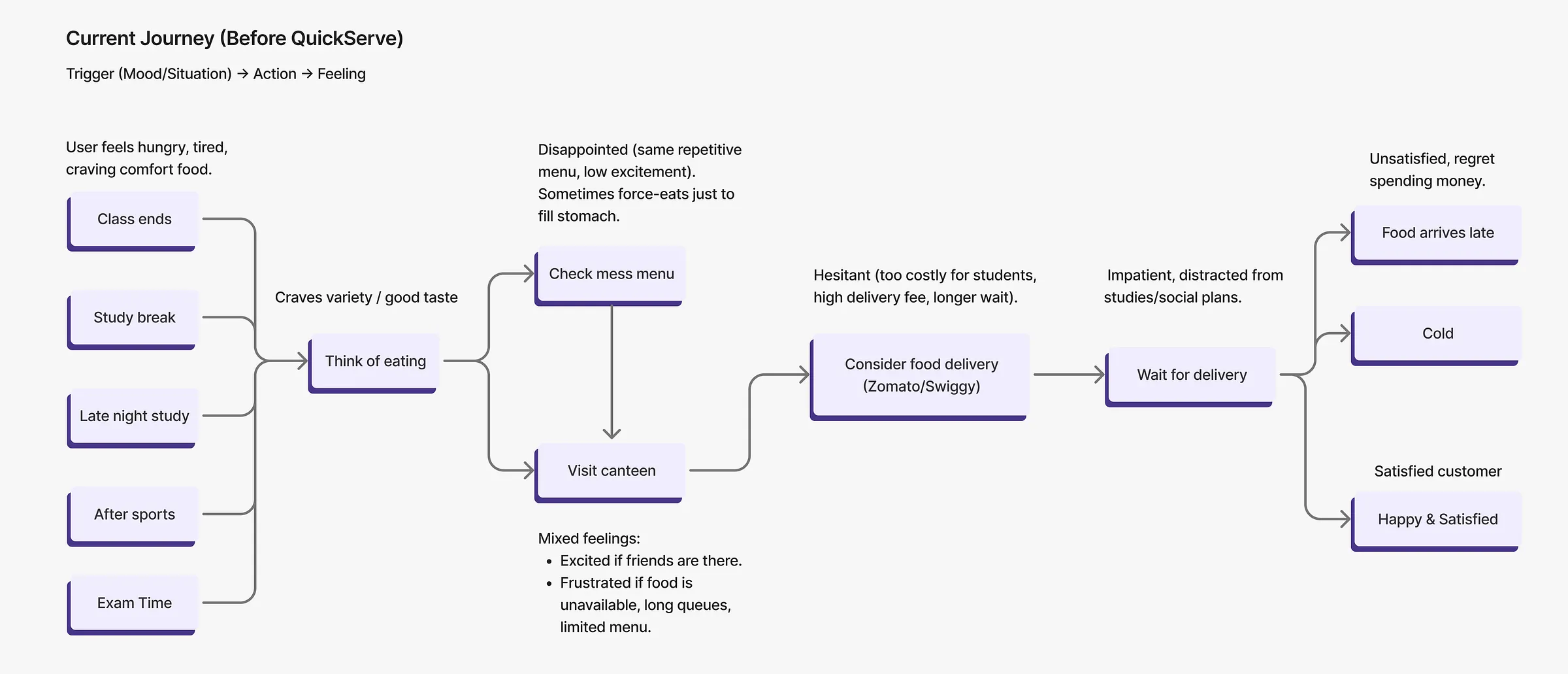
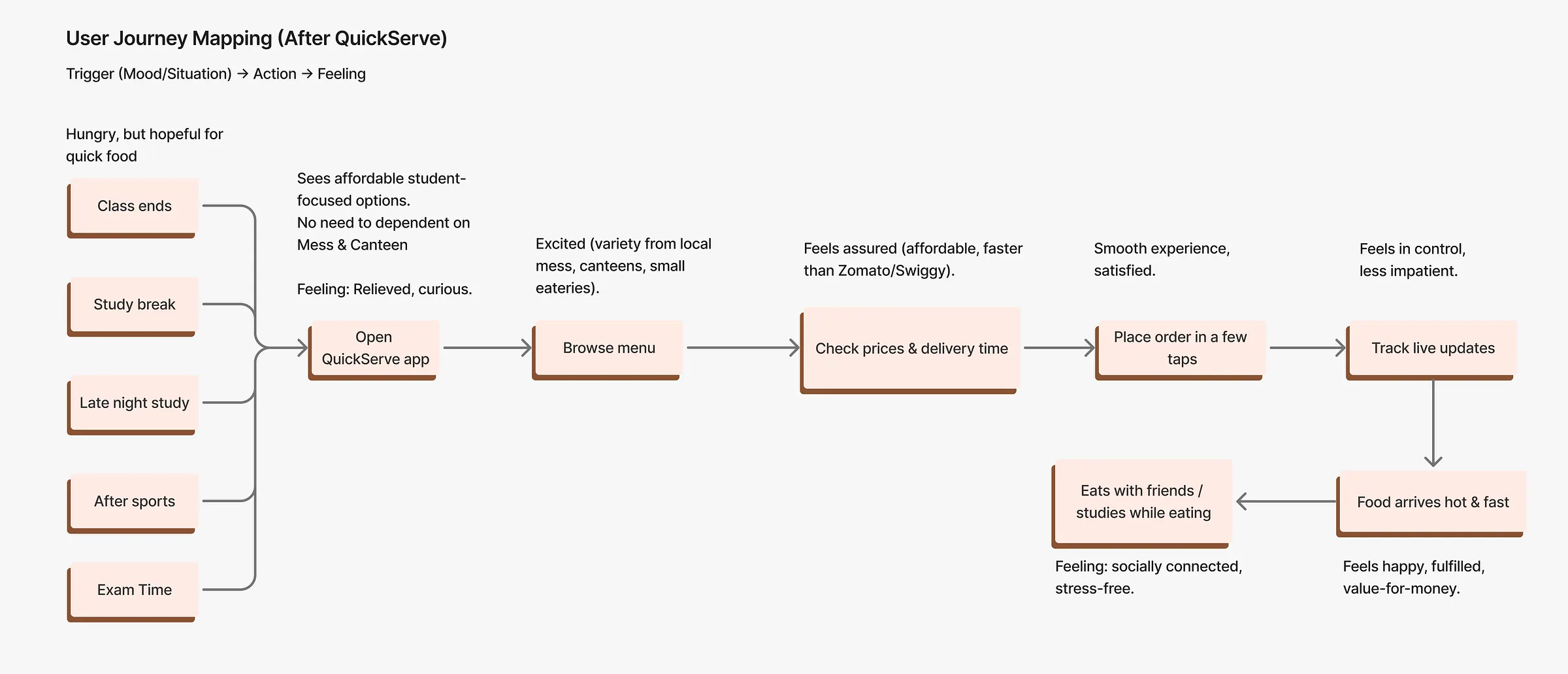
Using the research, we mapped a student's journey today and how it would feel with QuickServe. We tracked emotions as well as steps, so the features we chose would ease the moments that hurt most.
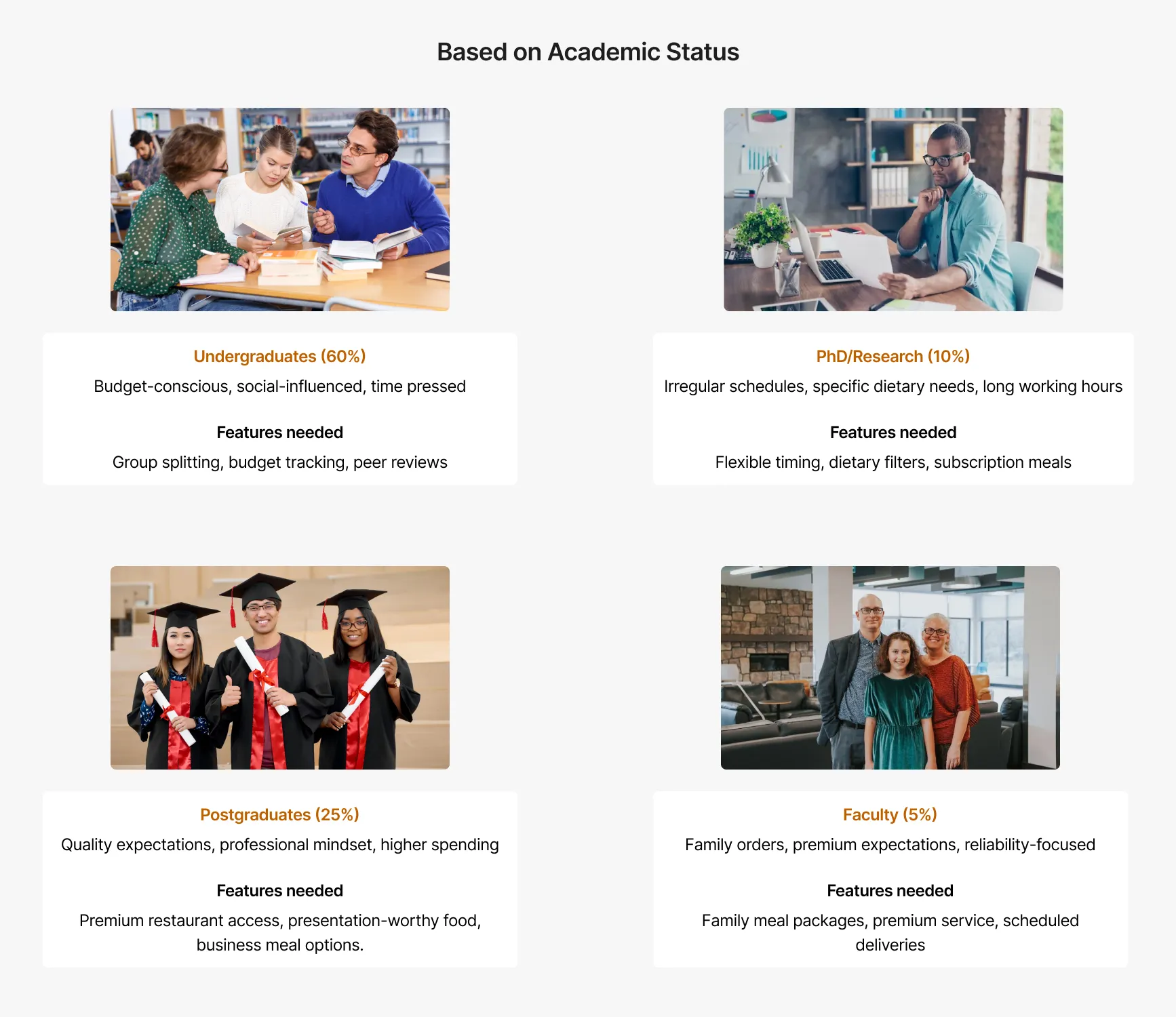
We grouped students in two ways, since each group needs different things from the product: by academic year and by how much they spend on food.
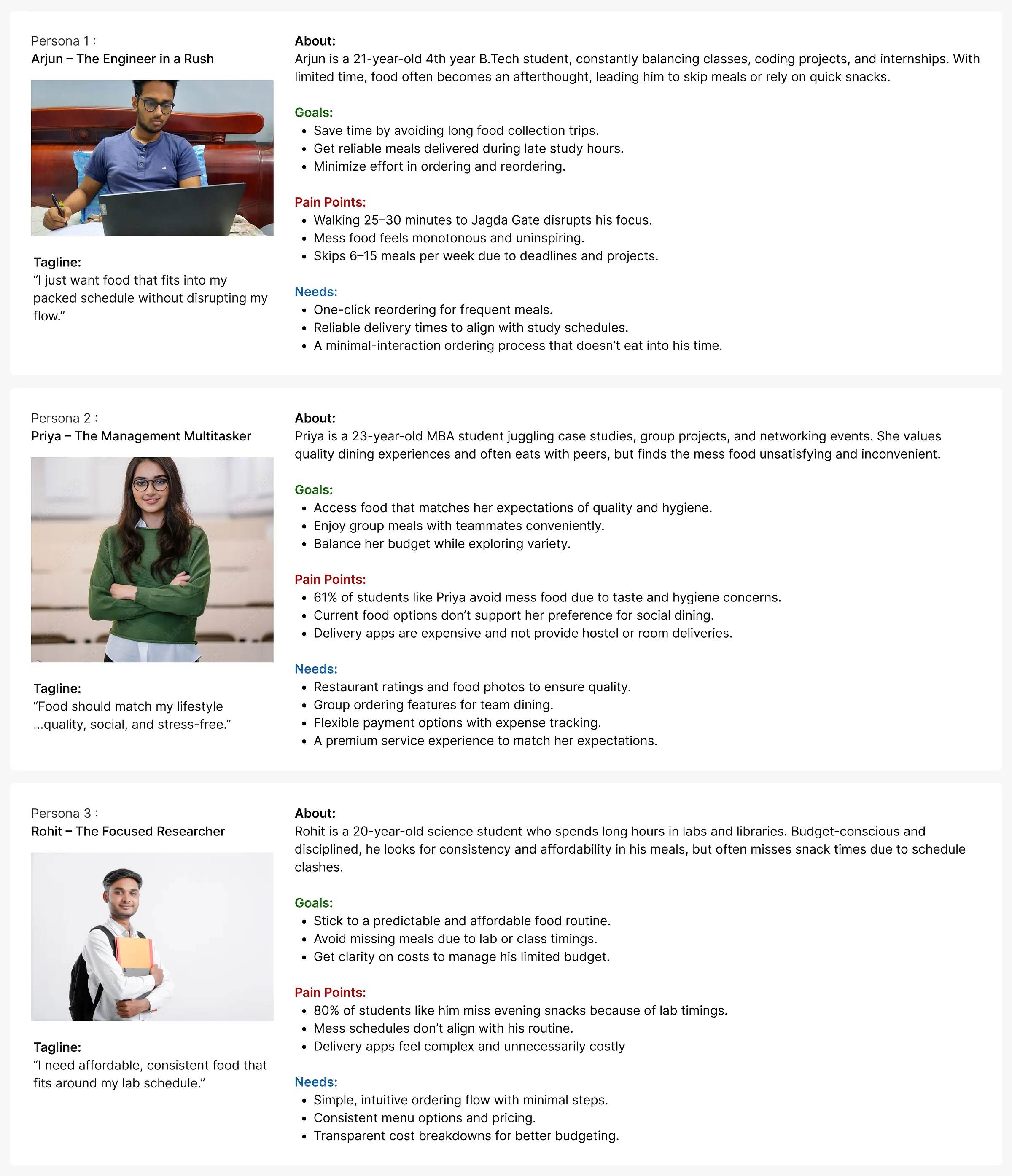
We created three primary personas that cover most of our target market, each with their own habits, pain points and expectations.
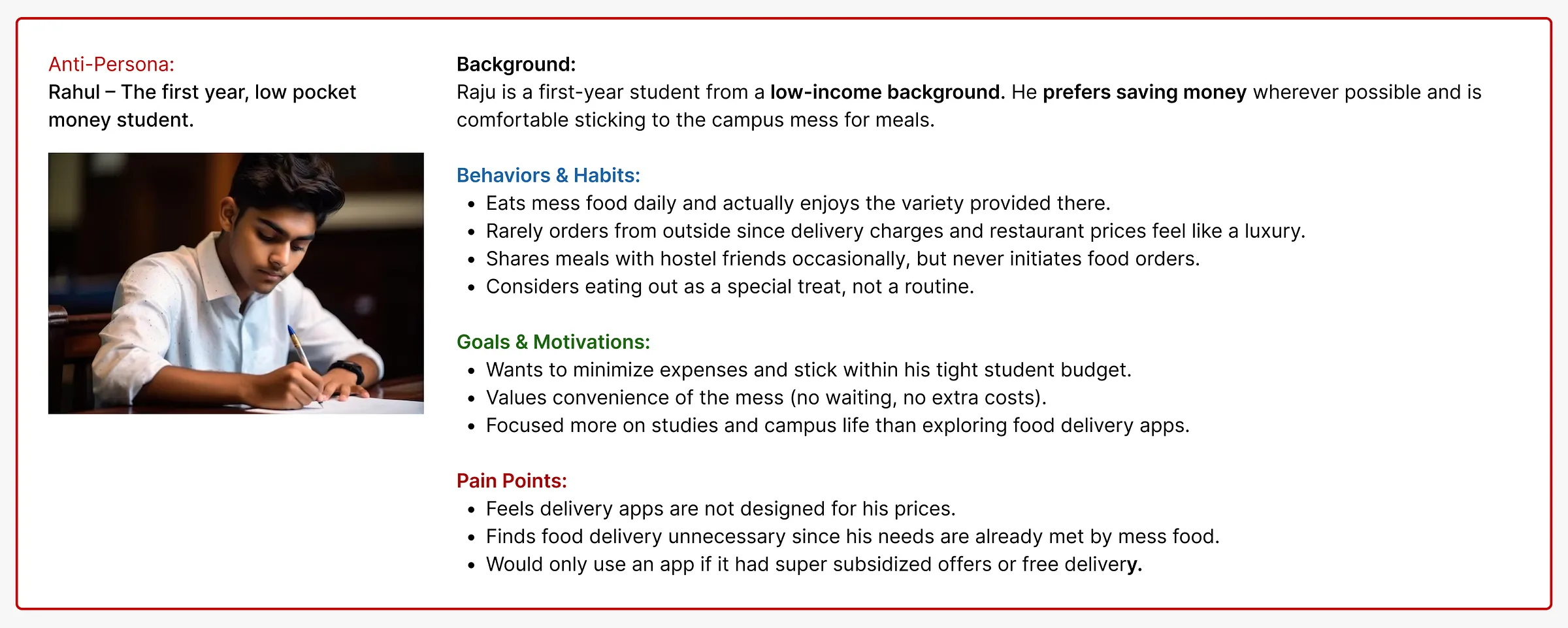
We also wrote an anti persona: students who live on campus and look close to our audience, but who we are deliberately not designing for. It kept our scope honest.
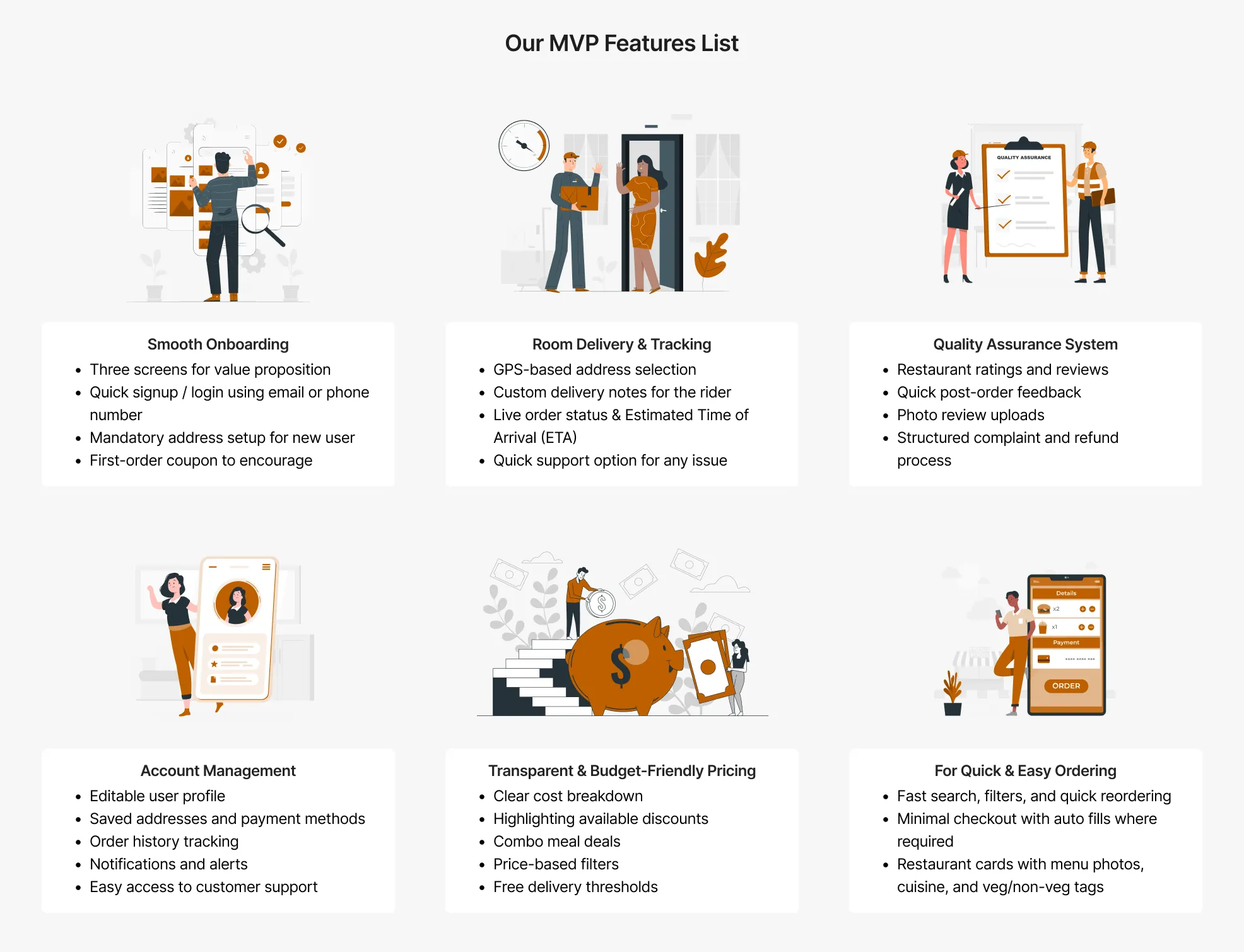
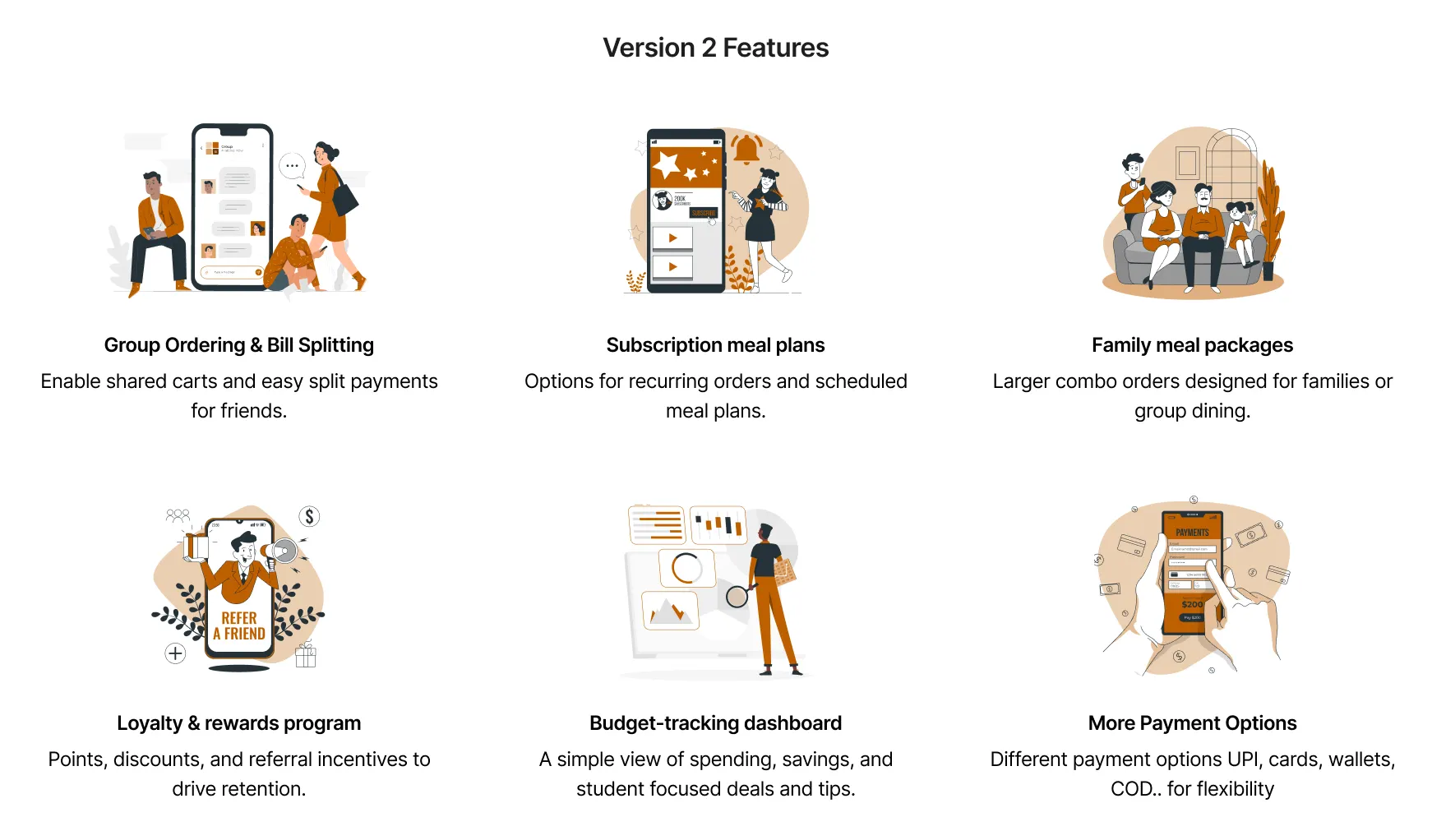
Research gave us far more ideas than we could build. We picked a small MVP to test the market first, and planned to add more once users told us what they needed.
Smooth onboarding, room delivery with tracking, a quality check system, account management, clear and budget friendly pricing, and quick ordering.
Group ordering with bill splitting, subscription meal plans, family meal packages, a loyalty and rewards program, a budget tracking dashboard and more payment options.
Design
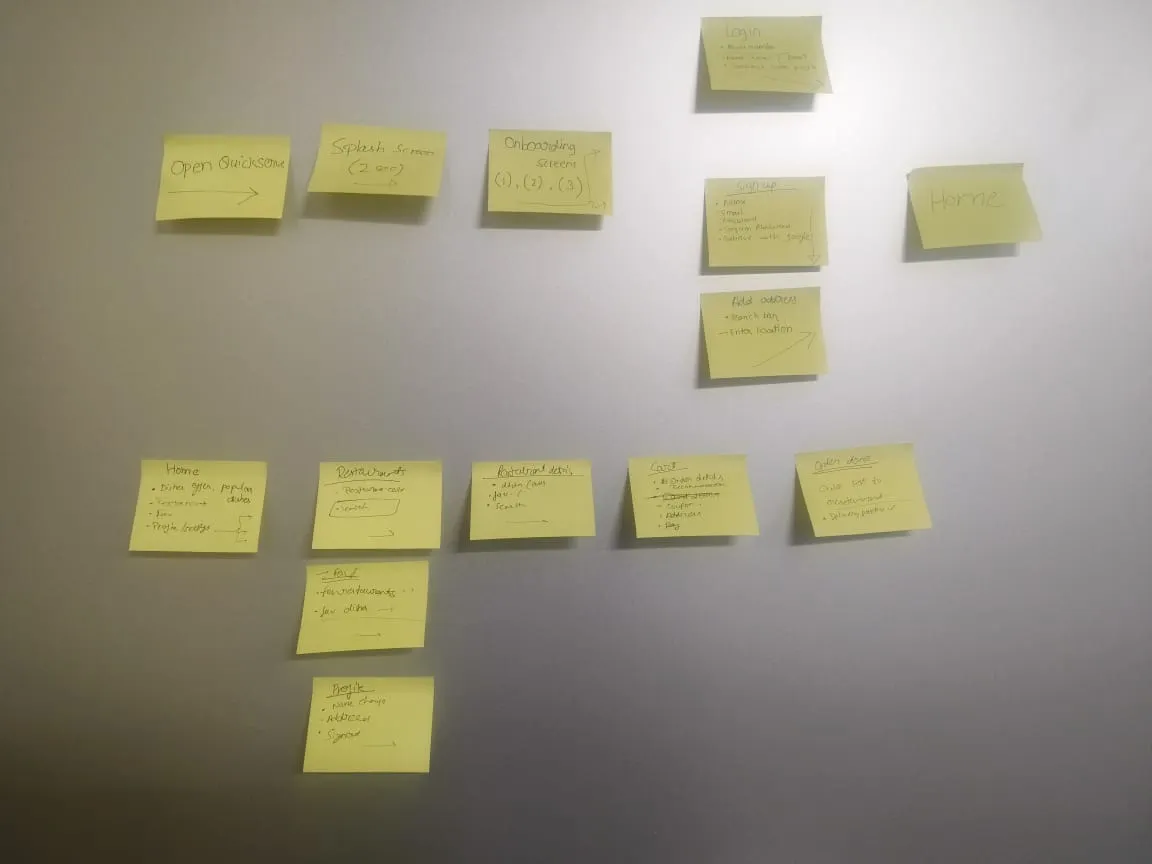
With the MVP features locked, we mapped user flows on sticky notes to see every path a student could take through the app.
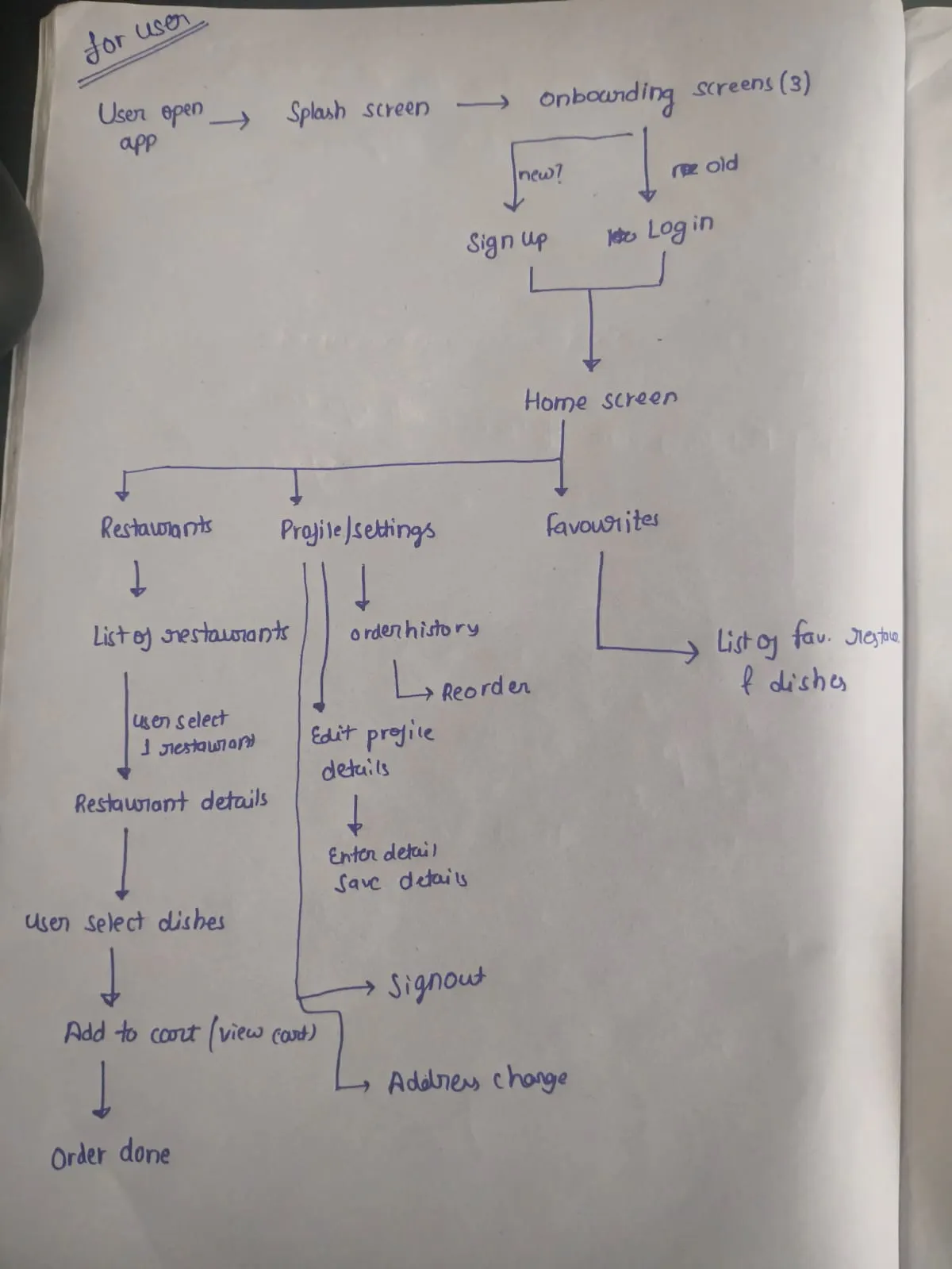
We sketched the happy paths on paper first, then walked through edge cases with the team and brainstormed how to handle each one.
To move faster, design and development ran in parallel. I finished one flow, handed it to the developers, and moved on to the next.
We did not want to reinvent the wheel or break the habits our users already had. The app had to feel familiar from the first tap, so it would earn trust quickly.
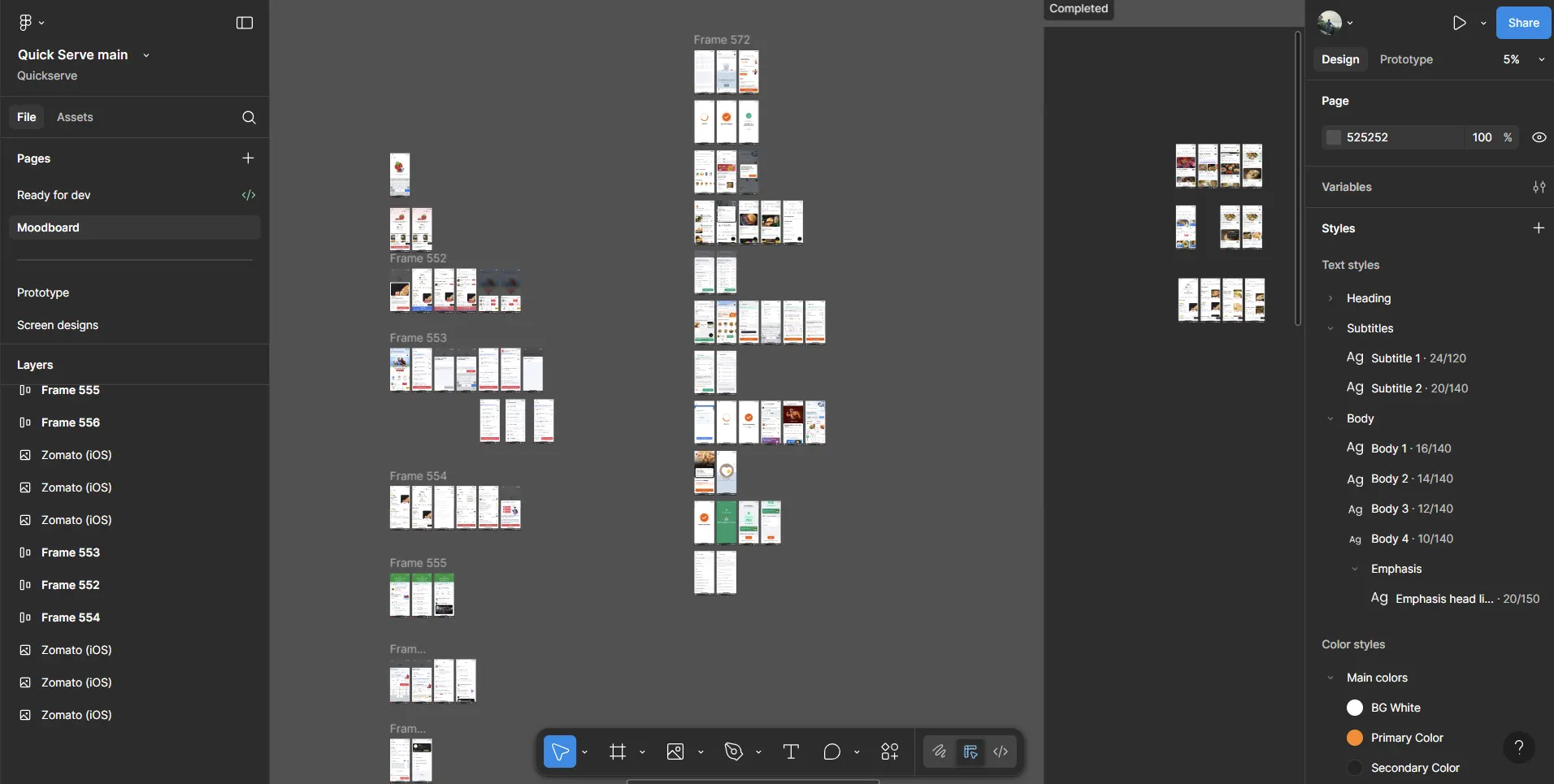
Our mood board drew from Zomato, Swiggy, Zepto and Blinkit, following Jakob's Law: people prefer a product that works like the ones they already know.
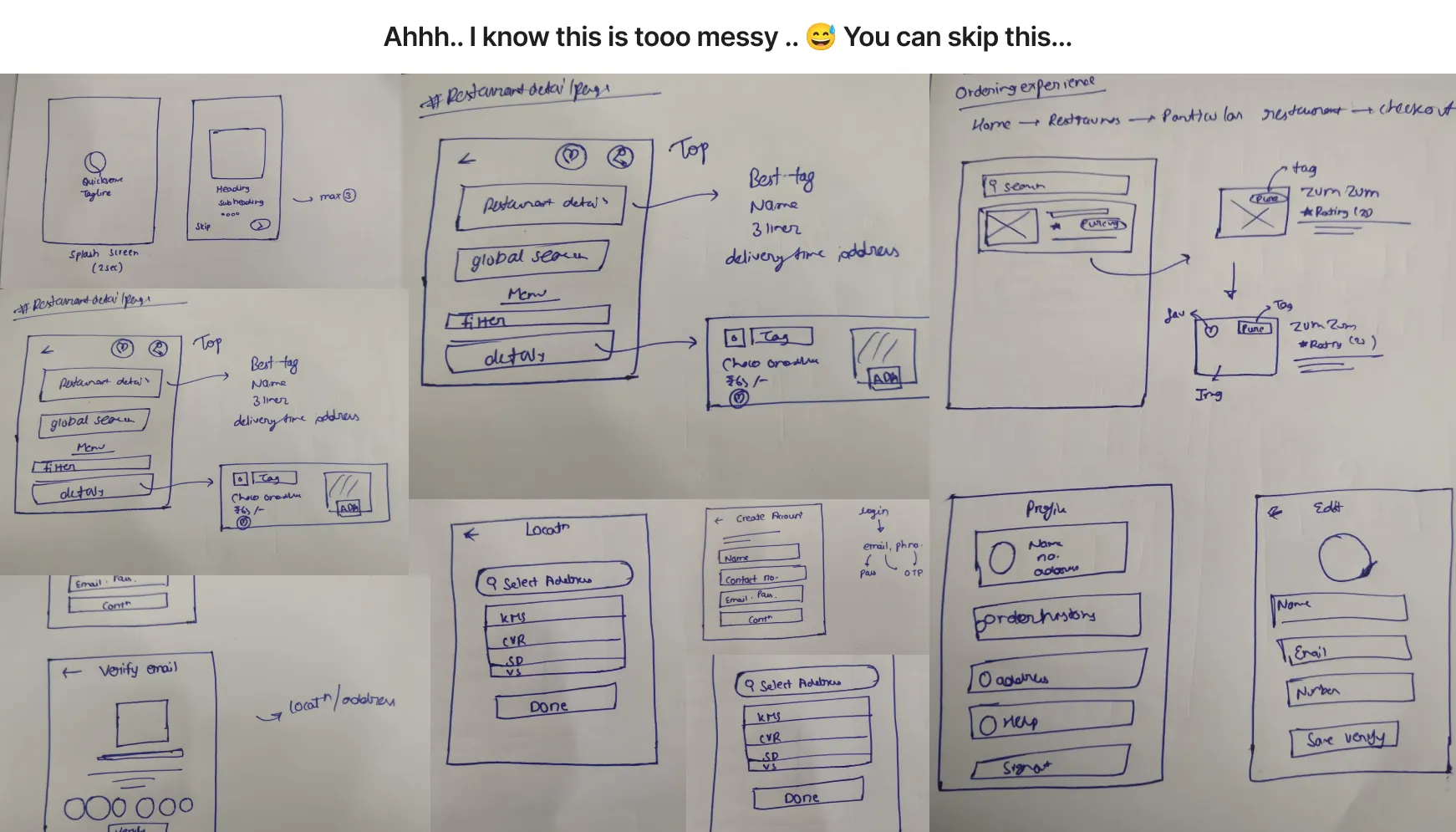
I like to start on paper. It lets me iterate fast, try many ideas and stay open to feedback without getting attached to work I have already polished.
Once the sketches were settled, I mapped the flow on paper and reviewed it with the team. Since they wanted to see the final look, I took the paper flow straight into high fidelity screens.
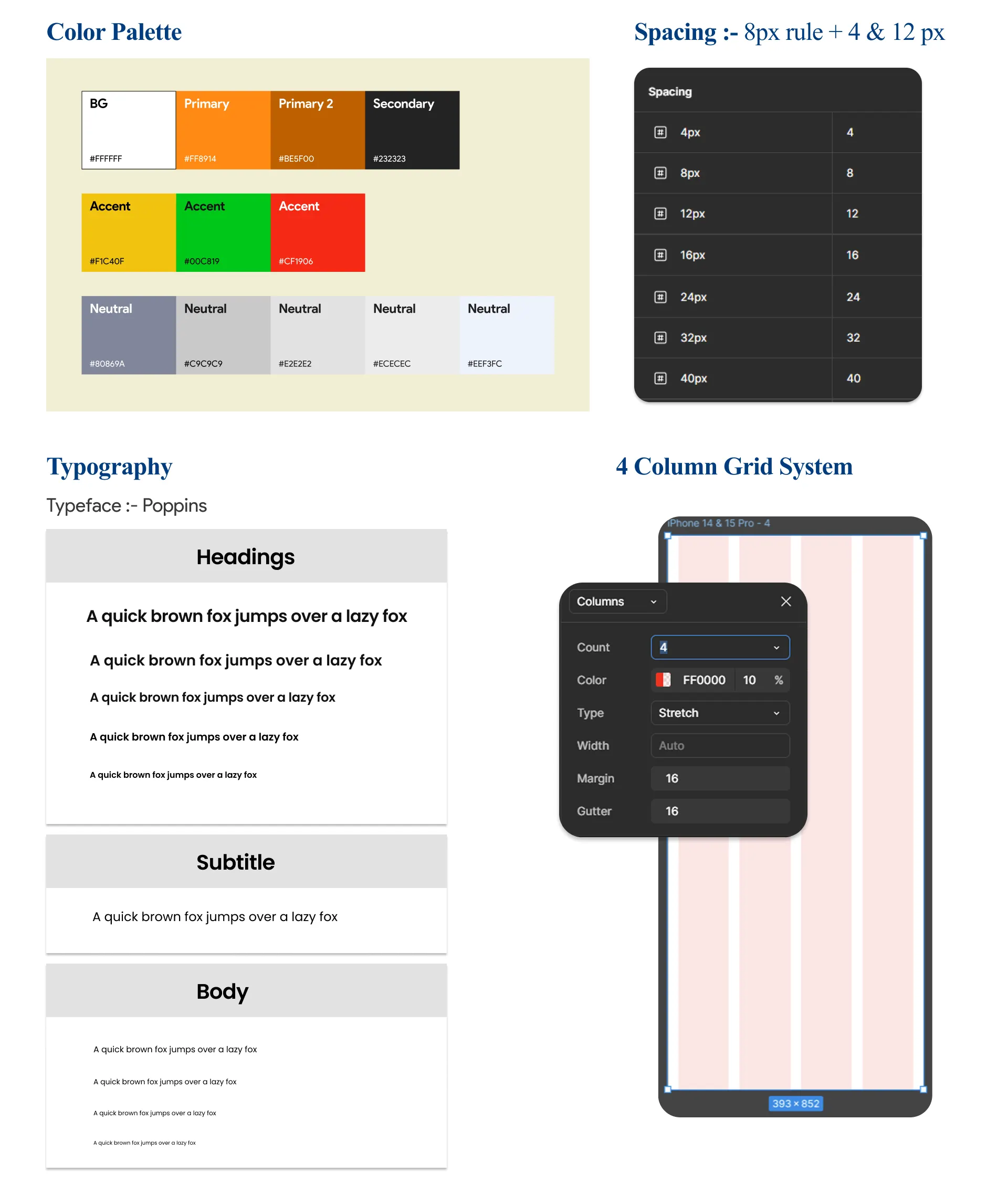
At that point I did not know Material Design or the iOS guidelines, so I built a small set of my own: colours, type and the core components.
I chose an orange palette because orange feels warm, energetic and appetising, which suits a food app. It also felt close to Swiggy, which helped QuickServe feel familiar and trustworthy to Swiggy users.
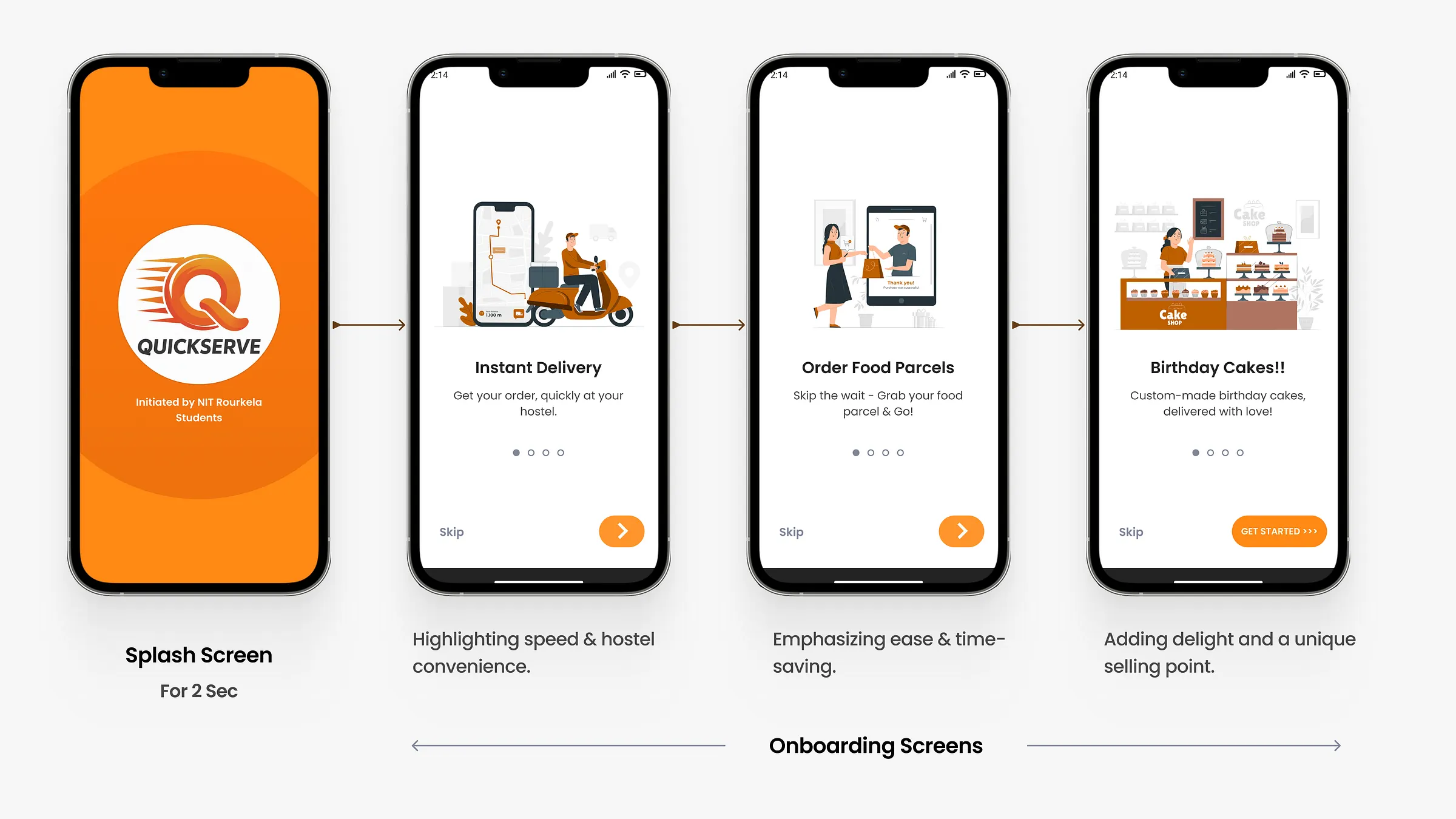
A short 3 step onboarding introduces QuickServe, builds trust and sets expectations. Getting a good birthday cake delivered to a hostel was in big demand on campus, so we featured it here to show a use case no other app covered.
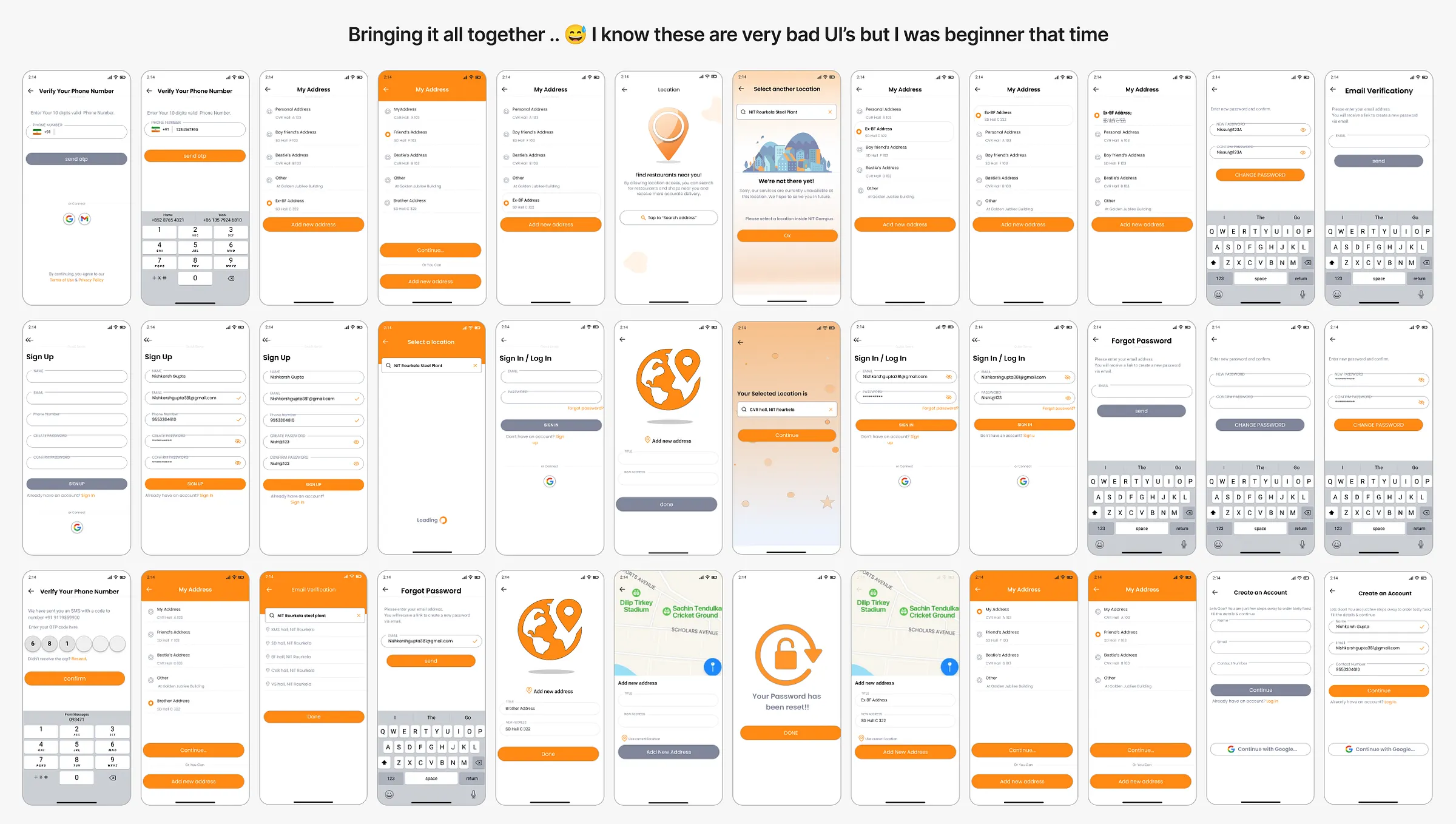
We chose email and password over phone number with OTP. Every SMS OTP costs money, so email login was cheaper and easier to scale while keeping accounts secure.
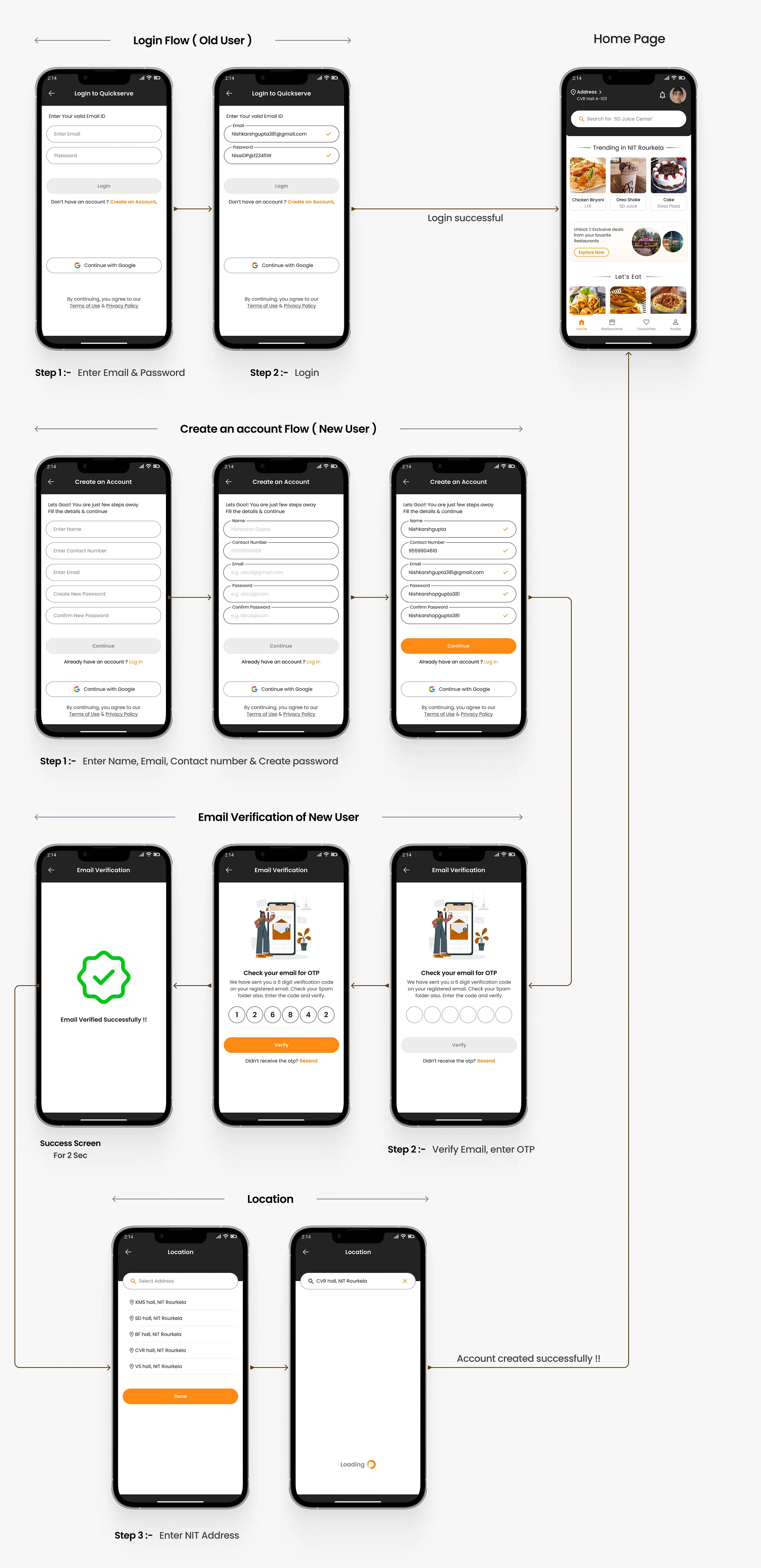
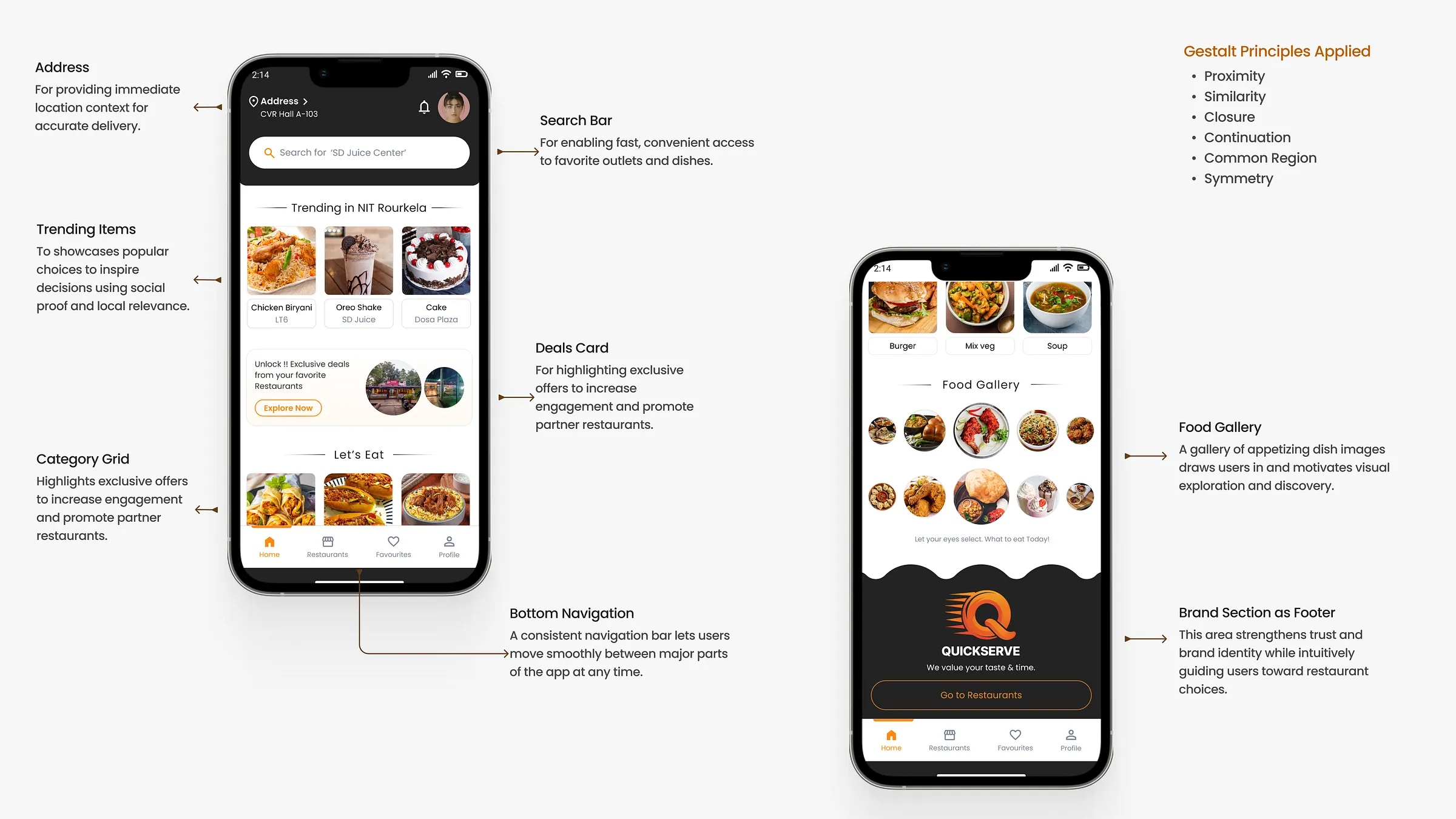
The homepage puts the delivery address, search, trending dishes in NIT Rourkela, deals and a food gallery up front, grouped using Gestalt principles so the page is easy to scan.
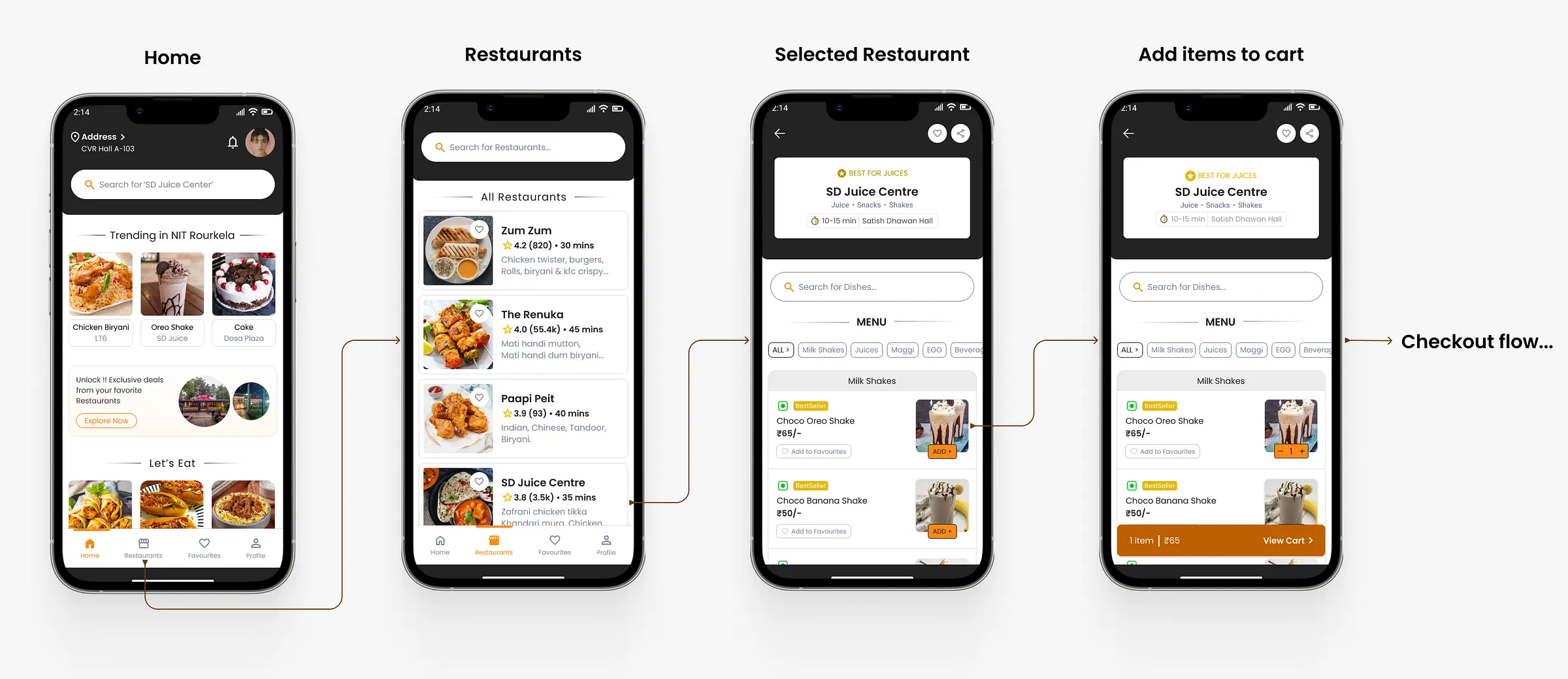
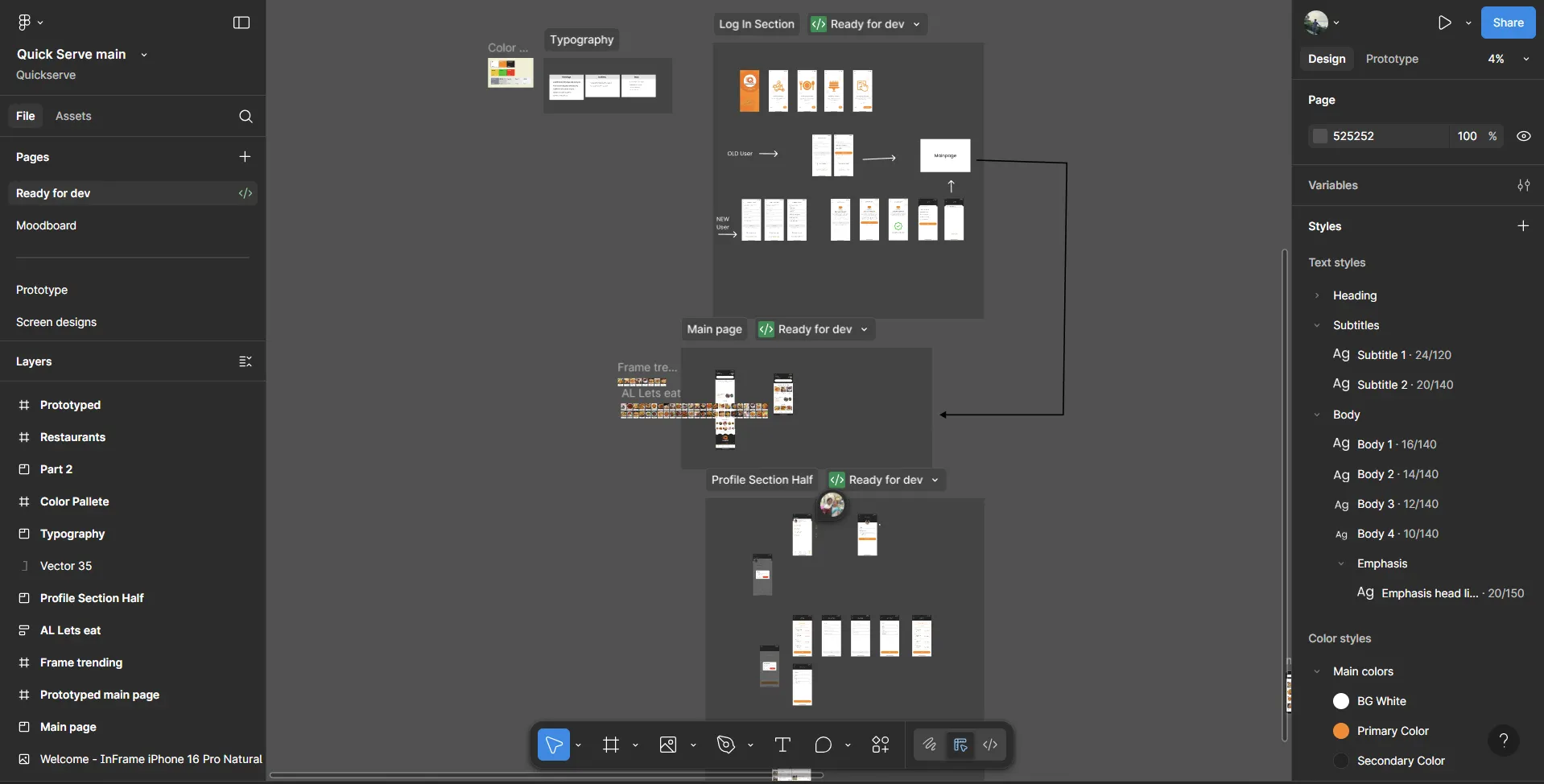
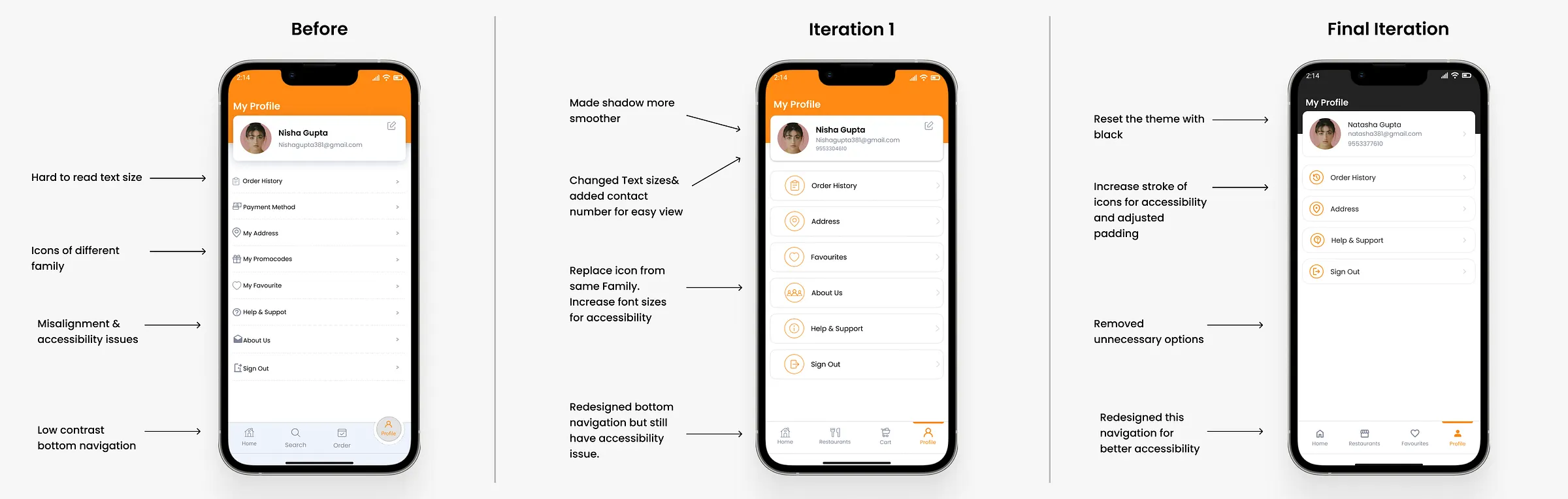
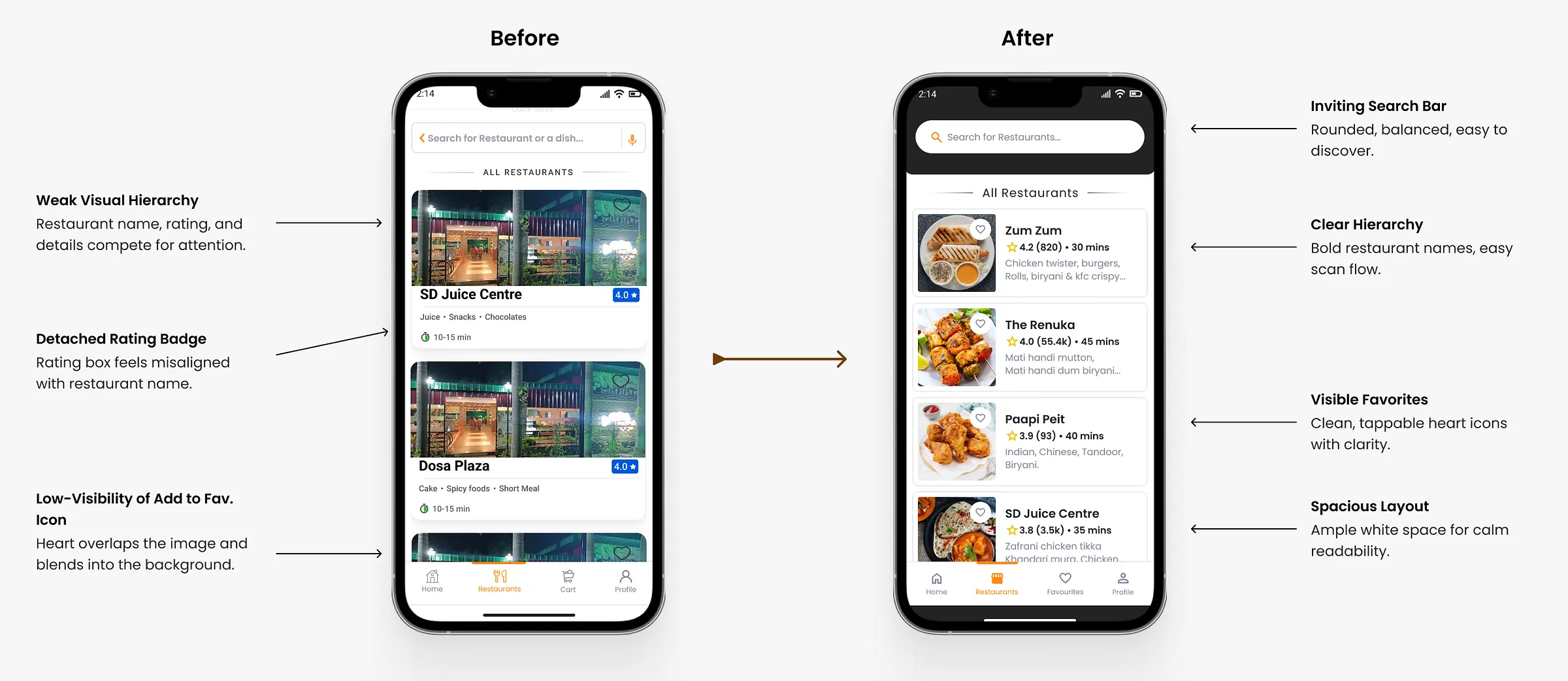
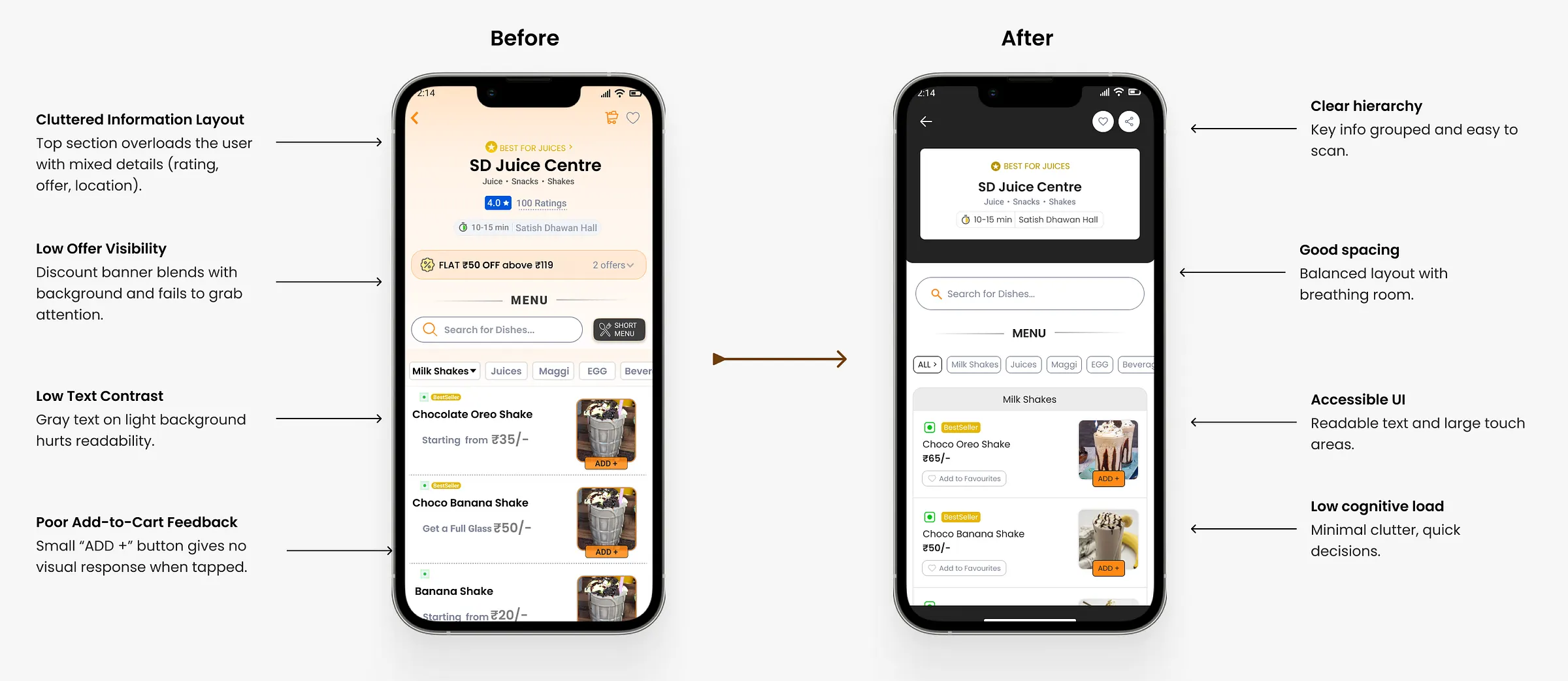
I was new to Figma when I made the first screens, so I redesigned them several times to improve layout, hierarchy and the overall look before reaching the final version.
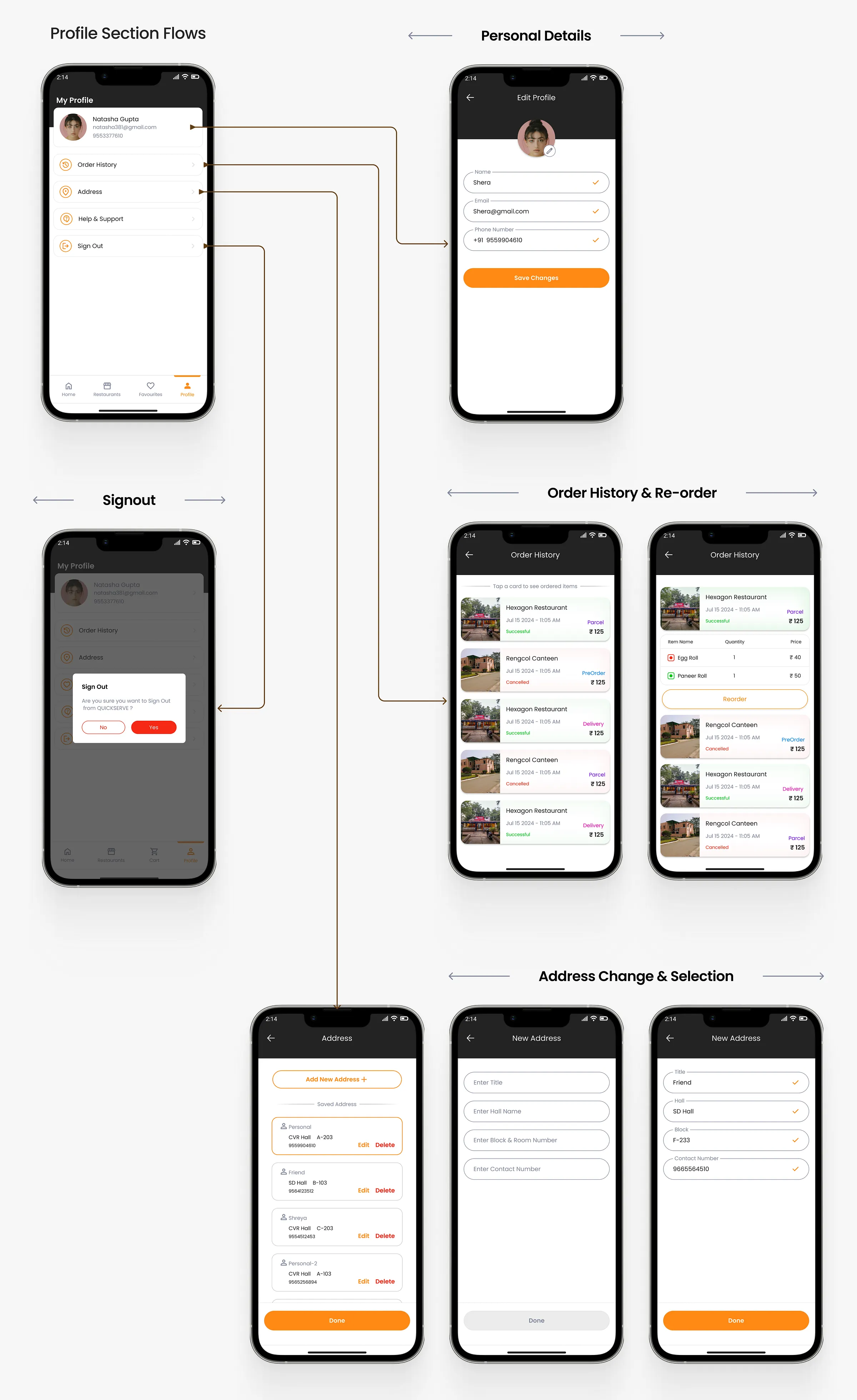
I redesigned the profile section twice to make it more accessible and easier to use.
Launch
The college developers building the backend could not finish it. After six months of trying, they left QuickServe, and only Toshib and I remained.
After a week of reflection, we saw that building a business is about solving problems, and technical limits should not stop us. So we moved the service to WhatsApp and ran it by hand.
If the problem we found was true for students, they would order from us even without an app. Once demand was proven, profits could fund the app through an outside agency.
I paused the screens and the whole team focused on the WhatsApp model. Before launching, we had three steps to get through.
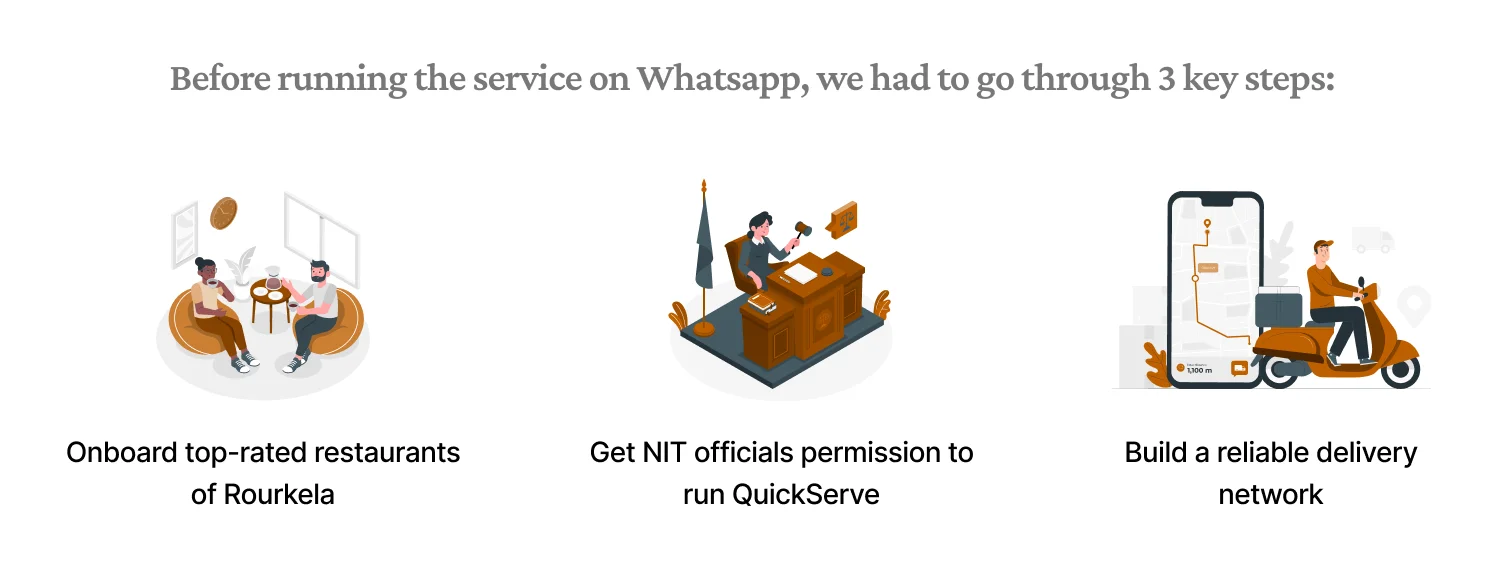
We started by onboarding the best restaurants in Rourkela, not easy for two students from Uttar Pradesh who barely knew the city.
We were unsure restaurants would take a ₹2,500 a month WhatsApp partnership seriously, so we drafted a professional MOU with an official seal. It set clear rules on food quality, hygiene, delivery discipline and transparency.
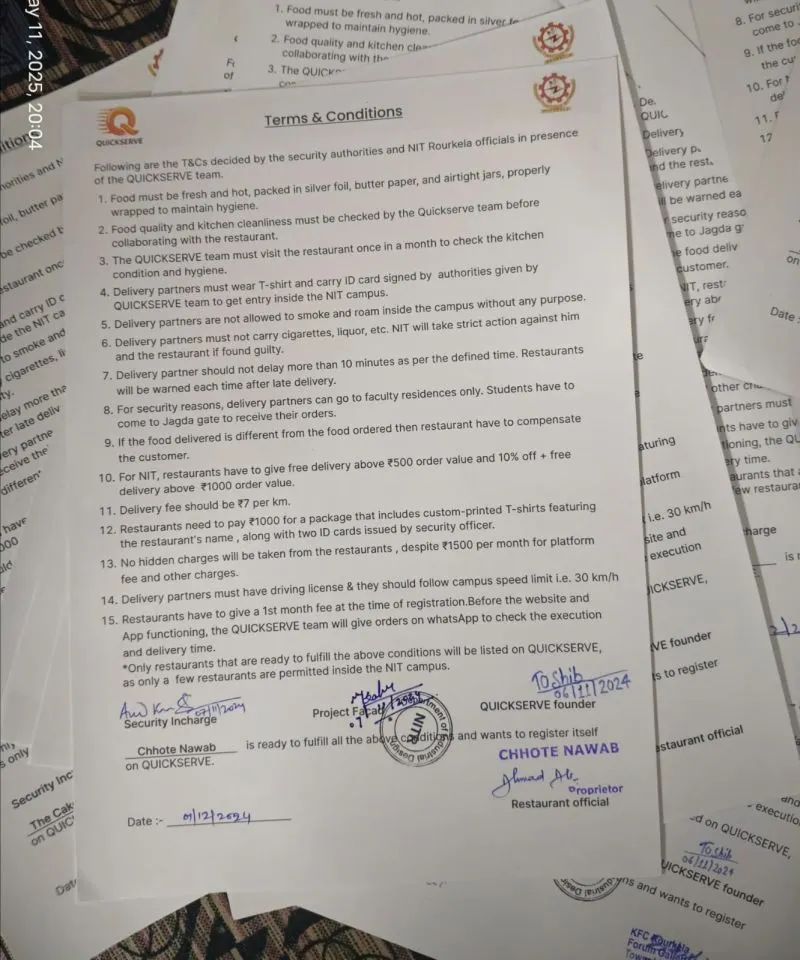
We first went to FTBI (Foundation for Technology and Business Incubation). They liked the idea but sent us to the On Campus Business Committee, who sent us to the head of security, who sent us to the Registrar.
Our faculty advisor, Prof. Mohit Lal, believed in us and came with us to meet the Registrar. After a long discussion, we got permission with one big condition: delivery partners could only go as far as the faculty residence, and students would have to collect food from Jagda Gate.
Doorstep delivery to hostel rooms was no longer allowed as we had planned, so we designed a way around it.
We split every delivery into two legs: restaurant partners brought food to Jagda Gate, and students carried it from the gate to the hostel room.
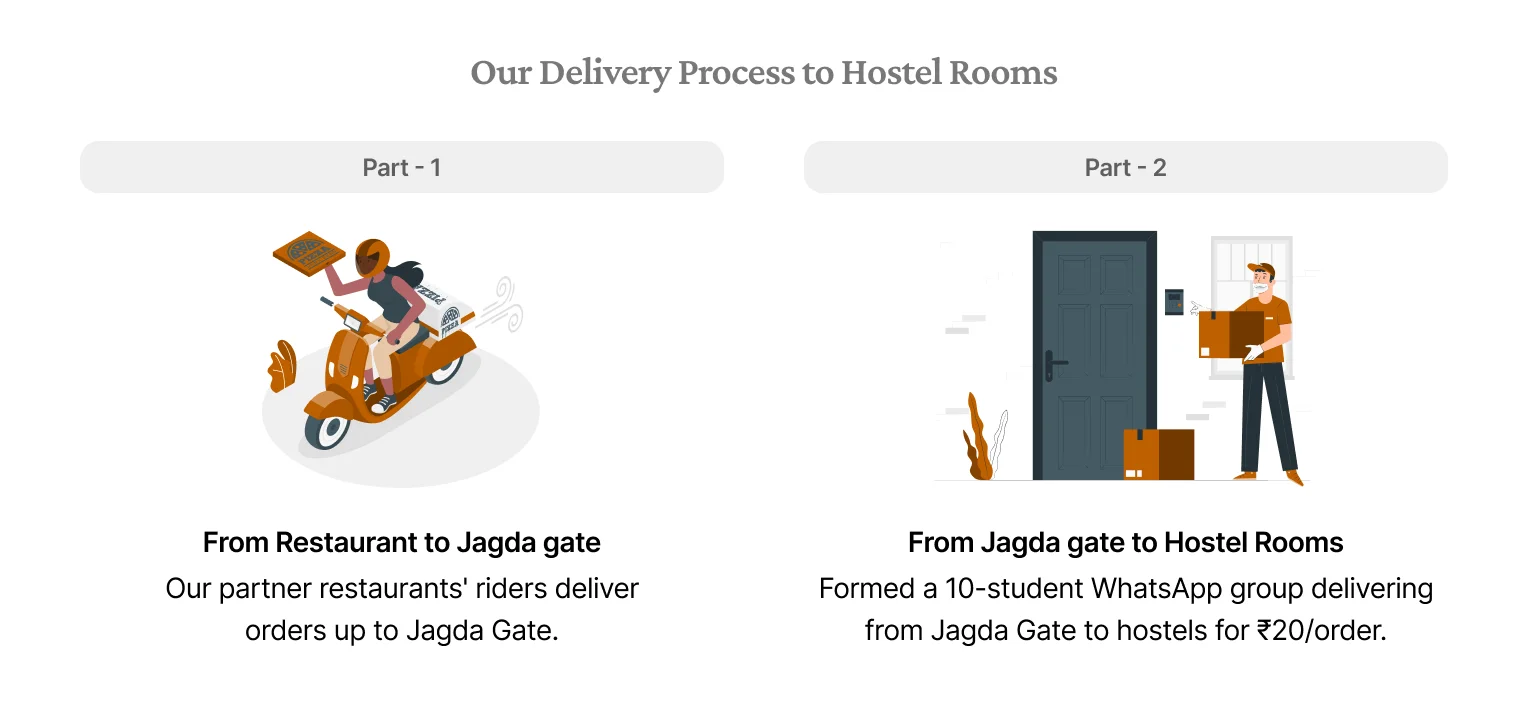
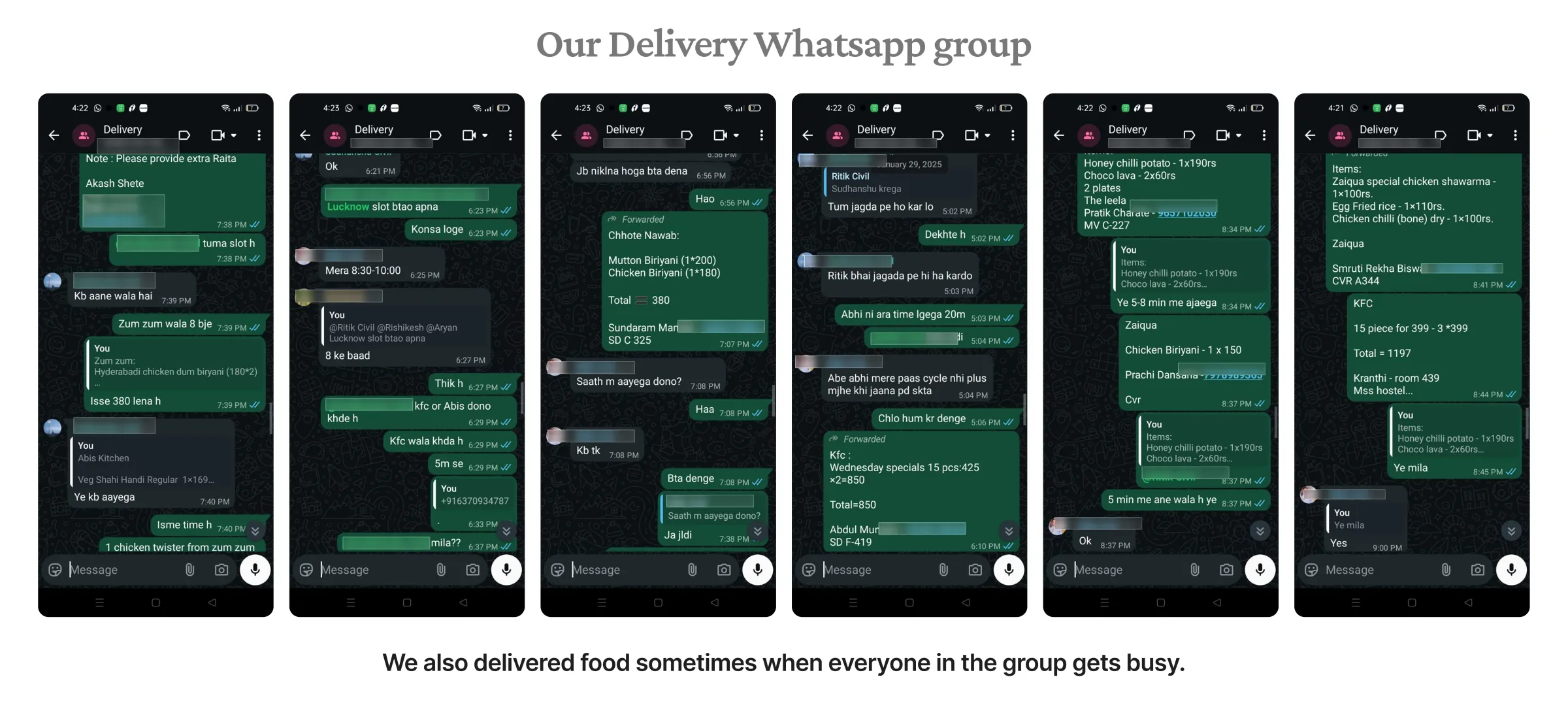
We started a WhatsApp group of 10 students, mostly close friends, who were happy to deliver inside hostels. Each confirmed order was posted in the group, the first to reply took it, and they earned ₹20 for every delivery.
A week before launch we promoted QuickServe in WhatsApp groups and with posters on hostel walls and around campus. Students were curious, and many could not believe room delivery was possible on campus.
The response was far better than we expected.
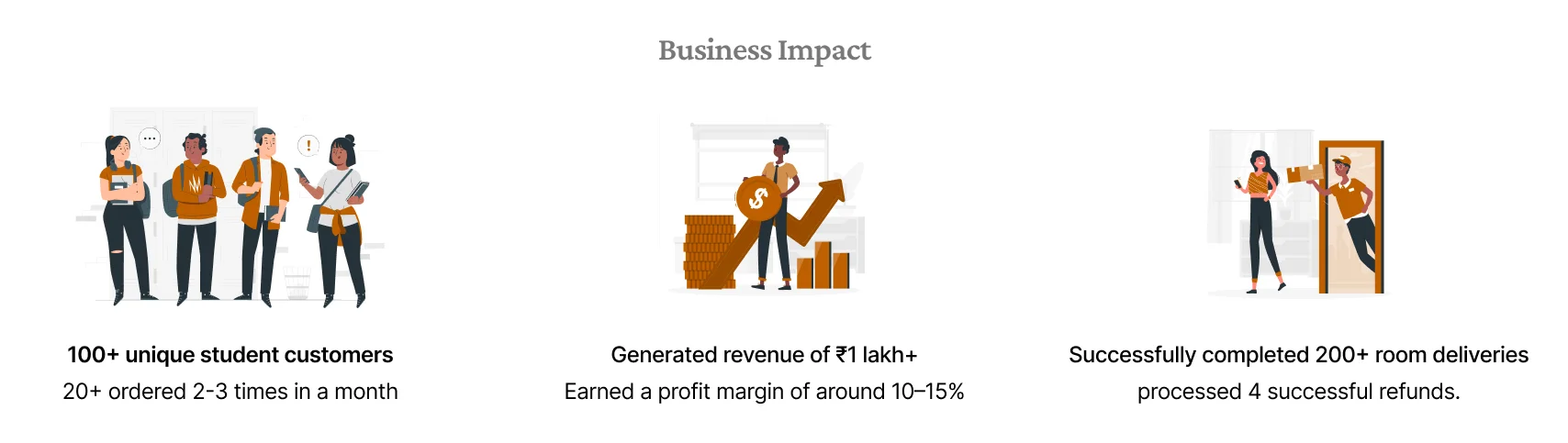
We collected feedback after every delivery and analysed 100+ responses from the first month. We also chatted with 50+ students, both customers and those who had not tried us yet, which doubled as publicity.
There were many small pain points, but fixing them would not pay off yet. We focused on the major ones that directly held back revenue.
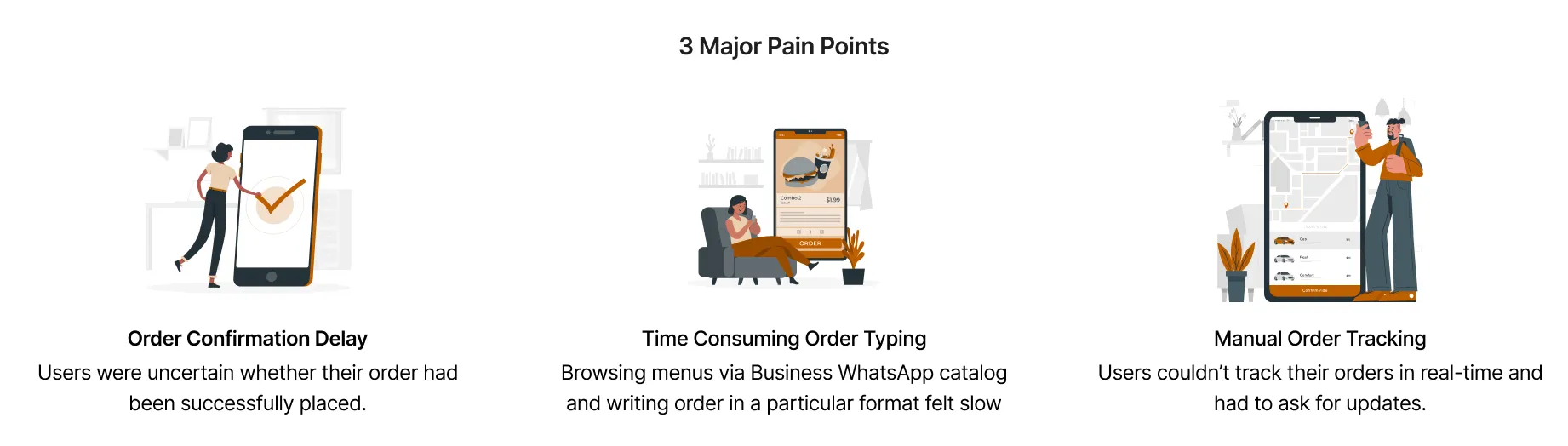
Solution
Browsing a catalogue and typing orders in a set format was slow. Our senior Prasad Patra, a developer, suggested a WhatsApp ordering bot, and I designed a few approaches for collecting orders through it.
We could not complete the build because of technical limits.
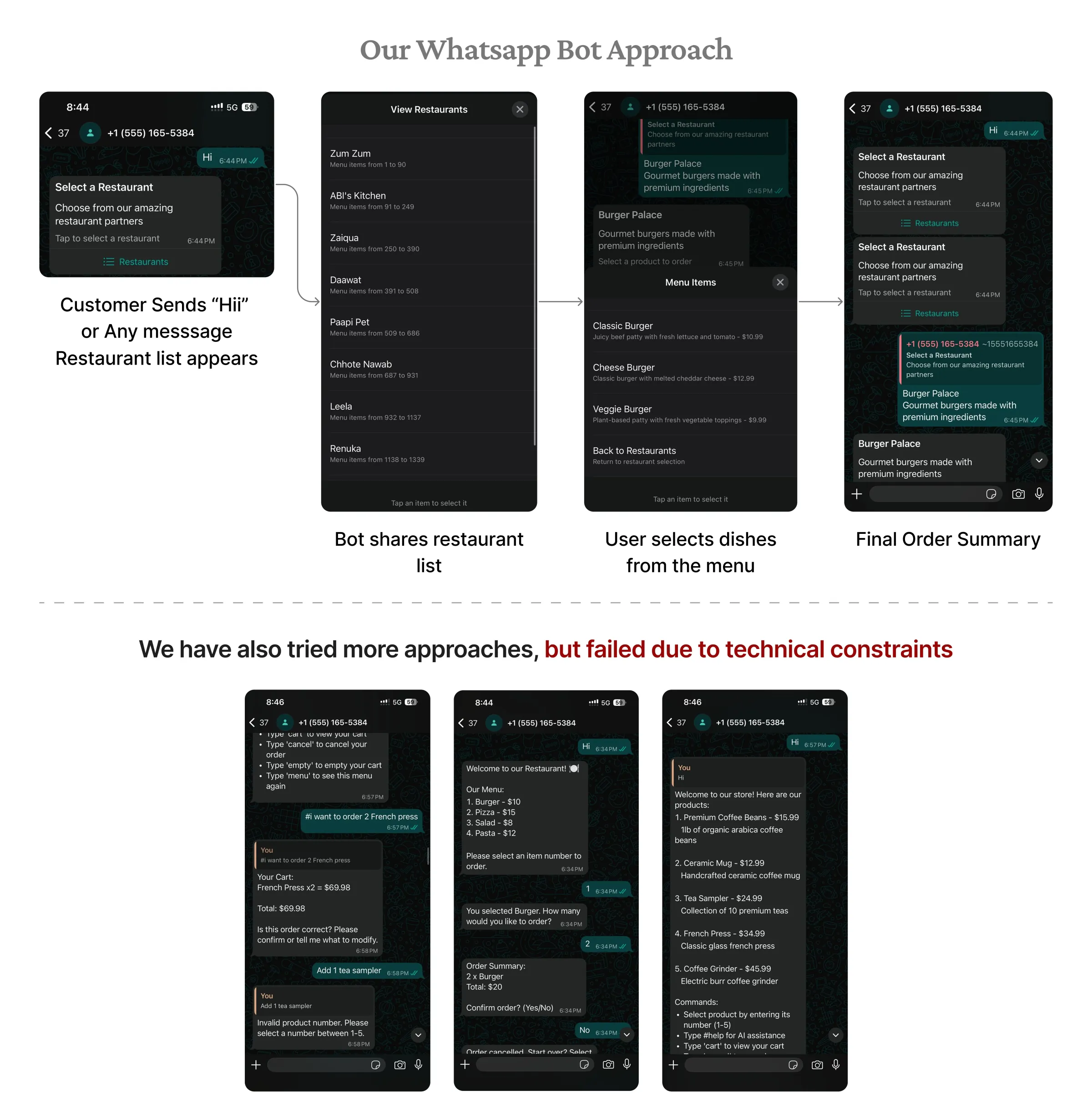
Typing long orders in WhatsApp was slow, error prone and frustrating, so we moved ordering to a light web app. After many discussions with the developers, we settled on a flow where students pick from the menu on the web, and the final summary and invoice go back to WhatsApp.
The developers shipped it fast with Cursor and Claude. I partnered with them on a UX audit to fix broken flows, cut errors and improve usability, then locked the flow after several rounds.
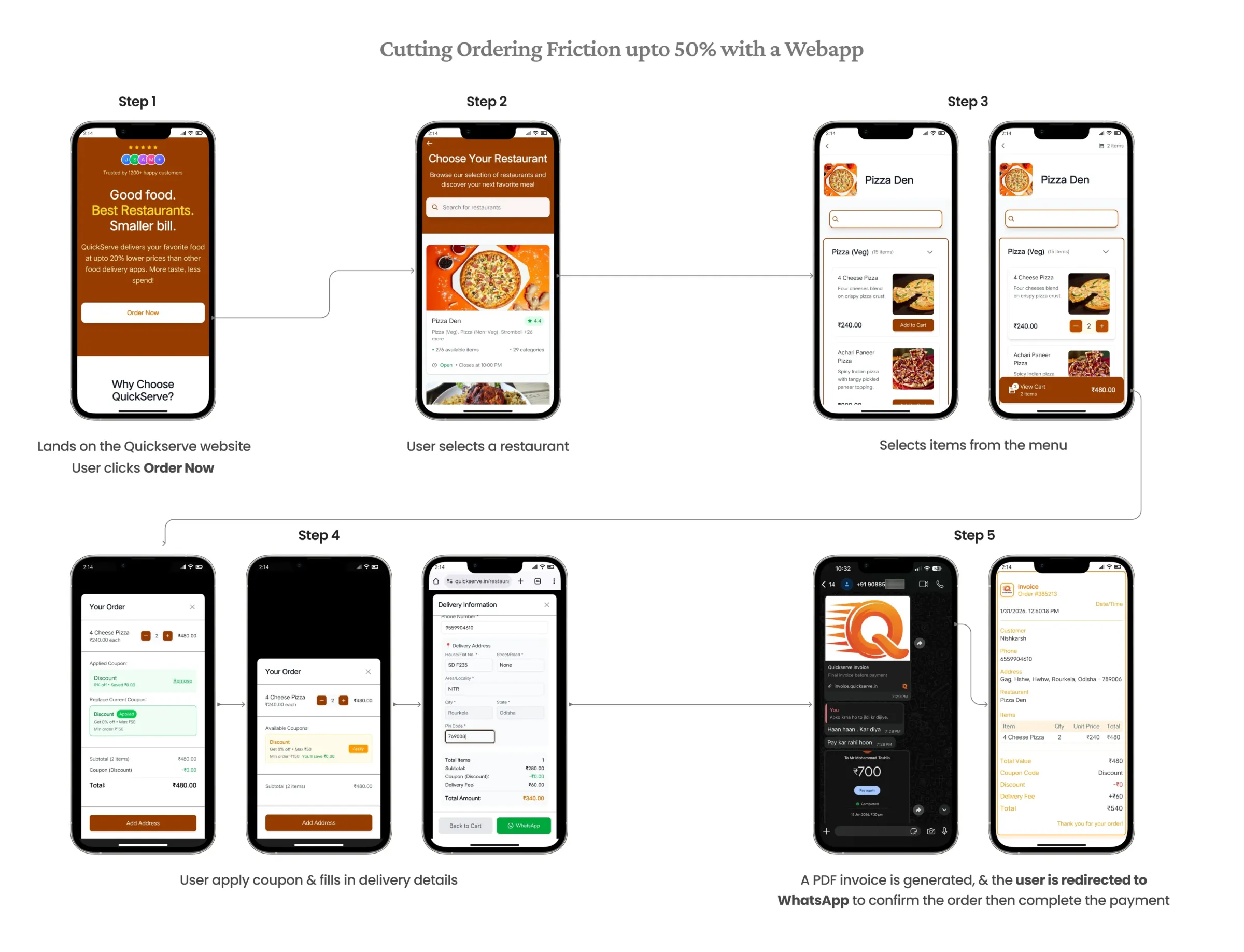
A plain text order on WhatsApp is easy to edit, especially prices and quantities. Even a small unnoticed change can mean lost money, disputes and broken trust.
So the web app creates a PDF invoice before sending students to WhatsApp. It is a locked record of the order and saves time during confirmation.
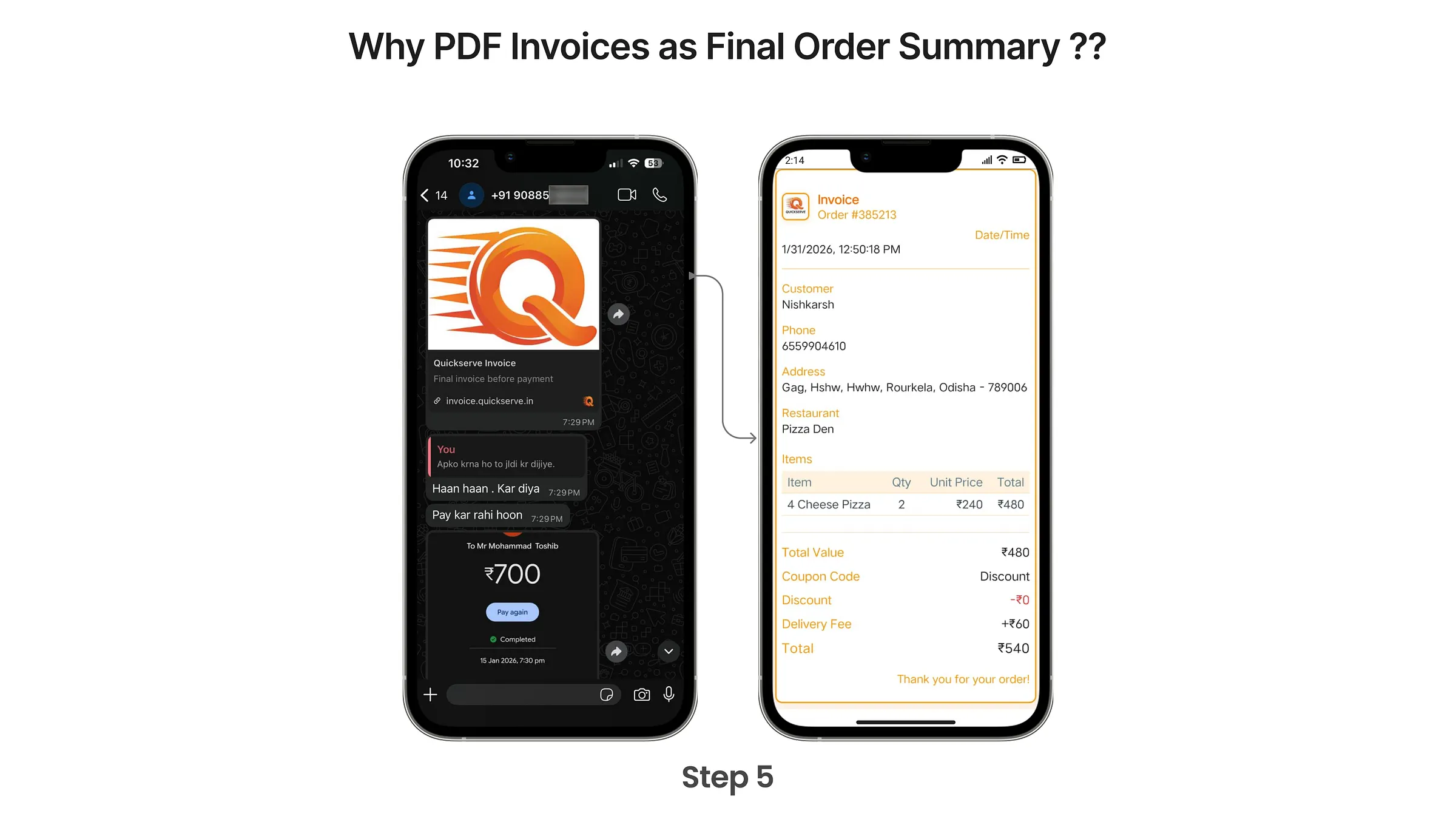
We began with alpha testing inside the team to check the basic flow and catch serious usability issues.
Instead of replacing WhatsApp ordering overnight, we launched the web flow as an extra option. The gradual rollout lowered risk, and students picked it up quickly with very little resistance.
We invited 10 customers to place an order in front of us. On first use, some were briefly confused when the order summary arrived as a PDF and they were sent to WhatsApp.
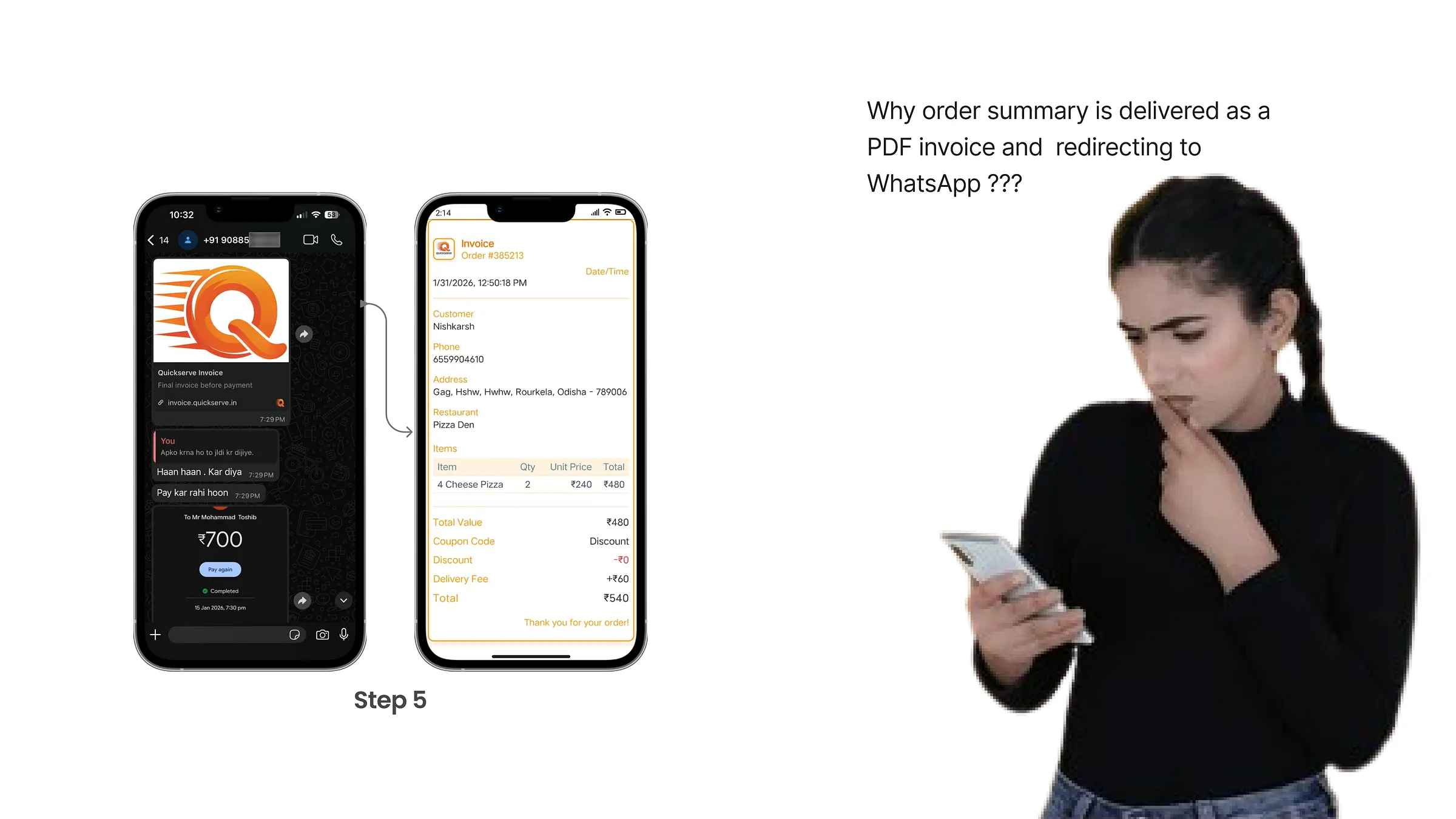
Because they already trusted the service, nobody dropped off. The learning curve was shallow and task completion improved quickly.
Results
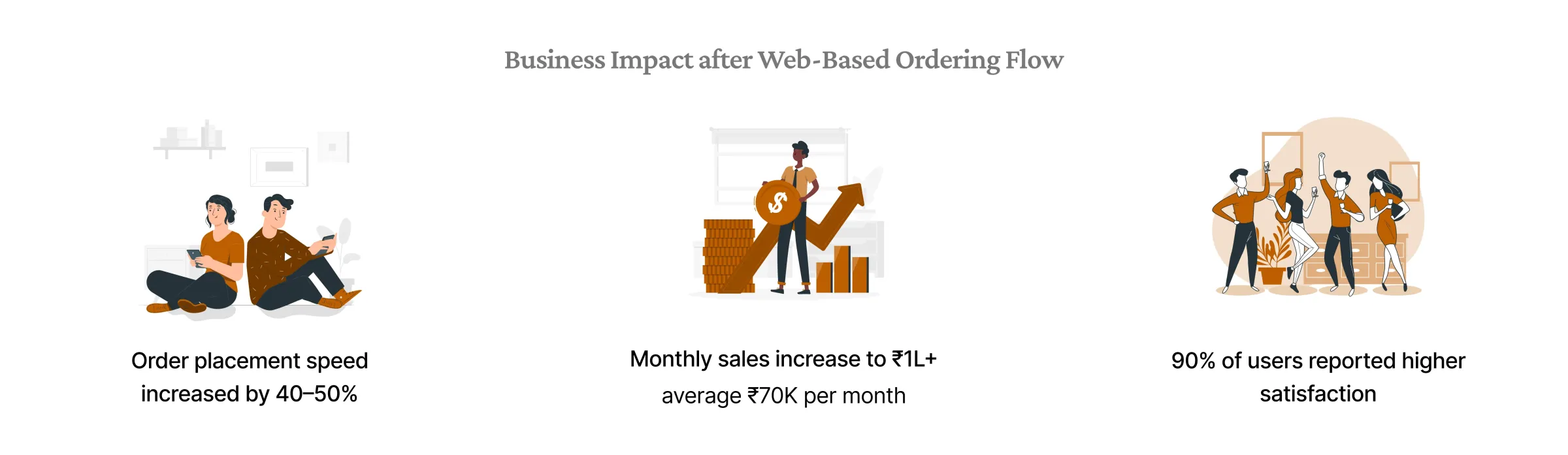
Want the short version with the film and the results? Head back to the case study.
How we built NIT Rourkela's campus food delivery The QuickServe story in 6 minutes, with the 3 minute film. Read the case study The original write up The same story as I first wrote it, with a few extra photos. Read on Medium